

QuickImage Downloader
평점 3개
)
개요
Download images with a single click
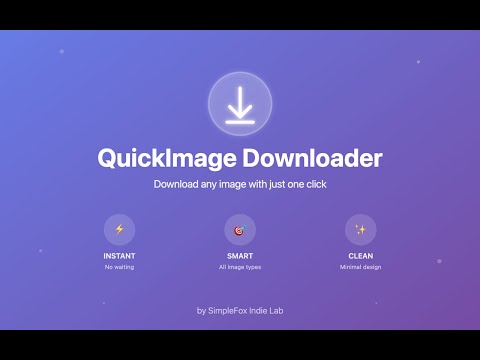
What it does: QuickImage Downloader eliminates the tedious process of downloading images from websites. Instead of right-clicking, opening images in new tabs or remembering keyboard shortcuts, and then saving them, you simply hover over any image and click the download button that appears. Why users should install it: ☑️ Save time and effort - No more multiple clicks and tab switching. Download images instantly with a single click. ☑️ Works everywhere - Compatible with all websites and image types, including background images and lazy-loaded content that is often hard to save. ☑️ Intelligent filtering - Automatically ignores small images and icons (fully customisable), so the download button only appears on actual photos and graphics. Choose your preferred minimum size from 50px to 300px to focus on the images that matter. ☑️ Clean and simple - The download button appears only when you need it, without cluttering your browsing experience. ☑️ Smart detection - Automatically finds the original, full-resolution image URL for the best quality downloads. ☑️ Perfect for professionals - Essential tool for designers, researchers, students, content creators, and anyone who regularly saves images from the web. ☑️ No learning curve - Works immediately after installation. No setup, no registration, no configuration needed. ☑️ Privacy focussed - No data collection. Everything works locally on your device. Transform the way you save images online. Install QuickImage Downloader and experience how effortless image downloading should be.
5점 만점에 4.7점평점 3개
세부정보
- 버전1.1.0
- 업데이트됨2025년 12월 26일
- 제공SimpleFox Indie Lab
- 크기16.93KiB
- 언어English
- 개발자
이메일
carlosaandresmunoz@gmail.com - 비판매자판매자로 식별되지 않은 개발자입니다. 유럽 연합에 거주하는 소비자의 경우, 이 개발자와 체결한 계약에 대해서는 소비자 권리가 적용되지 않을 수 있음을 유의해야 합니다.
개인정보 보호

개발자가 사용자 데이터에 관해 다음과 같이 선언했습니다
- 승인된 사용 사례를 제외하고 서드 파티에 판매하지 않음
- 항목의 핵심 기능과 관련 없는 목적으로 사용하거나 전송하지 않음
- 신용도 판단 또는 대출 목적으로 사용하거나 전송하지 않음
지원
질문, 제안 또는 문제와 관련하여 도움이 필요하면 데스크톱 브라우저에서 이 페이지를 여세요.