


Overview
Access QuickiePlay rooms, manage saved invitations and resume mini games from Chrome.
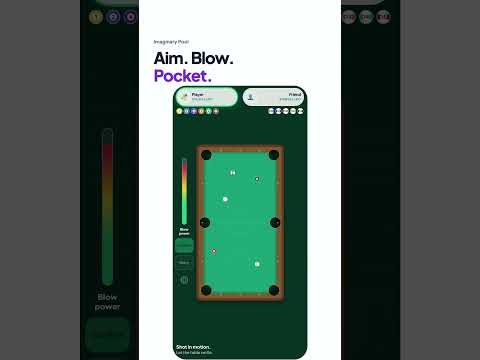
Less searching for tabs. More playing together. QuickiePlay for Chrome puts your next game within easy reach. Open it from your toolbar or keyboard shortcut to browse mini games, create or join a room, and pick up where you left off on the QuickiePlay website. Send one link and start playing. Friends can join in their normal browser. No game downloads. No account required. Installing this companion is entirely optional. Your shortcut to play Find your next mini game. Browse the existing QuickiePlay collection and create or join rooms from the side panel. Keep invitations handy. Save up to five room invitations in this browser. Copy a link whenever you’re ready to share it. Play your way. Launch games on the QuickiePlay website in a dedicated game window or a regular browser tab. Return to the right room. Bring an already-open matching room into focus without replacing another game. The same QuickiePlay, a little closer Your games run on the existing QuickiePlay website, which manages your guest identity and account session. There is no separate extension account to create. If your session cannot be restored in the side panel, continue in your browser. An internet connection is required for rooms and gameplay. Saved invitations remain stored in this browser and can still be managed when the website is unavailable. Only what it needs This companion does not access your Chrome browsing history or unrelated websites. It does not send background extension reminders or add new analytics. Invitation links are copied only when you choose. Pick a mini game. Send a link. QuickiePlay together.
5 out of 54 ratings
Details
- Version2.0.0
- UpdatedOctober 25, 2026
- Size90.97KiB
- LanguagesEnglish
- DeveloperWebsite
Email
theekalvin@gmail.com - Non-traderThis developer has not identified itself as a trader. For consumers in the European Union, please note that consumer rights do not apply to contracts between you and this developer.
Privacy

QuickiePlay has disclosed the following information regarding the collection and usage of your data. More detailed information can be found in the developer's privacy policy.
QuickiePlay handles the following:
This developer declares that your data is
- Not being sold to third parties, outside of the approved use cases
- Not being used or transferred for purposes that are unrelated to the item's core functionality
- Not being used or transferred to determine creditworthiness or for lending purposes
Support
For help with questions, suggestions, or problems, visit the developer's support site