

Quickhand – Shortcut Coach

Overview
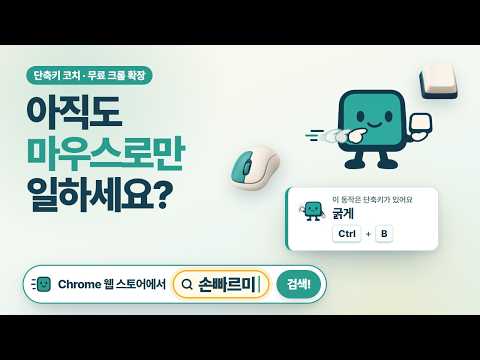
A friendly shortcut coach that gently shows the keyboard shortcut when you do something with the mouse.
When you click a button with the mouse and that action has a keyboard key, Quickhand shows it in a small card at the bottom right of the screen. You pick it up naturally as you work, and once you've learned it, it stops bringing it up. ■ For example Click the play button on YouTube and you'll see the K key. Drag to select cells in Google Sheets and it shows Shift+arrow keys. It works the same way in Gmail and other Google work tools, and you can turn it on or off for each site from the popup. ■ How it helps • Works right after you install it. Things you already do from the keyboard never come up. • The first time it recognizes an action, a one-time "Quickhand is on" card lets you know it's working. • It speaks up after you repeat the same action with the mouse a few times. • Choose how often it speaks up: Gentle, Normal, or Active. • Use the suggested key and a "Nice!" card shows dots for how many more uses until it's learned. Keep going without the mouse and you get a cheer. You can turn the cheers off in settings. • Use the keyboard 8 or more times out of your last 10 and you get a "You've got it!" card. After that, it stays quiet about that one. • Don't need one? Press "Stop hinting this shortcut" on the card. • Wondering why nothing appeared? Open "No hint? See recent actions" in the popup to see the reason. • Turn Quickhand on or off anytime with one key combination. The popup shows which one. ■ Privacy • What it records: action names (e.g. Bold, Play), whether you used the mouse or the keyboard, counts and dates, and the names and counts of buttons Quickhand didn't recognize • What it never records: what you type, the content of documents, emails or videos, or the addresses you visit • Records are saved only in Chrome on this device and are never sent anywhere. View or delete them anytime from the popup. • If something doesn't work well, use "Send feedback" in the popup. It shows you what will be sent and opens a Gmail draft with it filled in. Review it and send it yourself. ■ Made by Socialprism · ehsheh@gmail.com Quickhand is not made or endorsed by Google or YouTube.
0 out of 5No ratings
Details
- Version0.1.12
- UpdatedNovember 6, 2026
- Offered by소셜프리즘
- Size184KiB
- Languages2 languages
- Developer소셜프리즘
송산로 36 증평군, 충청북도 27918 KREmail
ehsheh@gmail.com - Non-traderThis developer has not identified itself as a trader. For consumers in the European Union, please note that consumer rights do not apply to contracts between you and this developer.
Privacy

Quickhand – Shortcut Coach has disclosed the following information regarding the collection and usage of your data. More detailed information can be found in the developer's privacy policy.
Quickhand – Shortcut Coach handles the following:
This developer declares that your data is
- Not being sold to third parties, outside of the approved use cases
- Not being used or transferred for purposes that are unrelated to the item's core functionality
- Not being used or transferred to determine creditworthiness or for lending purposes
Support
For help with questions, suggestions, or problems, visit the developer's support site