Item logo image for QuickGo

QuickGo

5.0(

1 rating

)
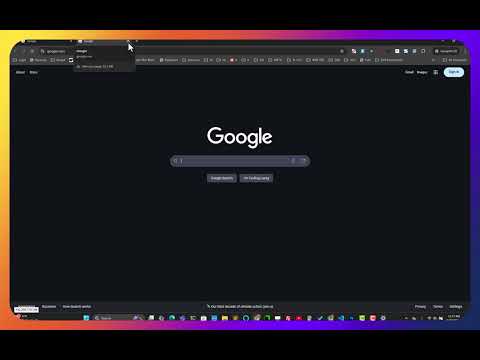
Item media 2 (screenshot) for QuickGo
Item video thumbnail
Item media 2 (screenshot) for QuickGo
Item video thumbnail
Item media 2 (screenshot) for QuickGo

Overview

Quickly open saved search engine URLs with custom keywords.

🚀 QuickGo - Open URLs Instantly with Custom Shortcuts! QuickGo is a lightweight, productivity-boosting Chrome extension that lets you quickly navigate to saved websites using **custom keyword shortcuts**. 🎯 **Features:** ✅ **Instant Navigation** – Type a keyword and jump straight to your saved URL. ✅ **Manage Shortcuts** – Add, edit, search, or delete your saved links. ✅ **Smart URL Display** – Long URLs are shortened, with hover tooltips to preview the full link. ✅ **Clipboard Copy** – Click any saved URL to copy it instantly. ✅ **Donation Support** – Like QuickGo? ☕ [Buy Me a Coffee](https://buymeacoffee.com/chaninthisone) ⚡ **How It Works:** 1️⃣ Open QuickGo from the Chrome toolbar. 2️⃣ Type a saved keyword and press **Enter** – it instantly opens the associated URL. 3️⃣ Easily add, edit, or delete shortcuts to fit your workflow. 📌 Perfect for **power users, researchers, students, and anyone** who wants to speed up their browsing experience! 🔒 **Privacy:** QuickGo stores your shortcuts locally – no data is sent anywhere. 💡 **Future Updates:** Sync shortcuts across devices, import/export feature, and more customization options! 🚀 **Download QuickGo today and supercharge your browsing!**

Details

  • Version
    2.0.1
  • Updated
    March 18, 2025
  • Size
    70.71KiB
  • Languages
    English
  • Developer
    Email
    cinthisone@gmail.com
  • Non-trader
    This developer has not identified itself as a trader. For consumers in the European Union, please note that consumer rights do not apply to contracts between you and this developer.

Privacy

Manage extensions and learn how they're being used in your organization
The developer has disclosed that it will not collect or use your data. To learn more, see the developer’s privacy policy.

This developer declares that your data is

  • Not being sold to third parties, outside of the approved use cases
  • Not being used or transferred for purposes that are unrelated to the item's core functionality
  • Not being used or transferred to determine creditworthiness or for lending purposes

Related

Address Bar Shortcuts

3.8

Use shortcuts in the address bar to redirect to commonly used sites.

Keyword Based Navigator

5.0

Navigate to URLs based on shortcuts and keywords

ShortcutKey2URL

4.6

ShortcutKey2URL provide a shortcut key to easily access frequently visit sites.

Omnibox Shortcuts

4.5

Press ` and then press Tab in the Omnibar to access your shortcuts

Quick Linker

5.0

Quickly navigate to regularly accessed websites using keyword shortcuts.

Alias

4.5

Supercharge your your productivity with browser aliases.

Type-ahead-find

4.5

Find text or links as you type

Quick URL Shortcuts

4.5

Assign keyboard shortcuts for your favourite sites

Blank New Tab Page

4.6

Override the default new tab page with blank page.

QuickGo

5.0

Say goodbye to annoying safe redirects, and enjoy smoother access.

Don't add custom search engines

3.6

Prevent Google Chrome from auto-adding custom search engines

Web Aliases

4.2

Web Aliases is a Chrome extension that allows users to create nicknames for websites so that users don't have to remember long URLs.

Address Bar Shortcuts

3.8

Use shortcuts in the address bar to redirect to commonly used sites.

Keyword Based Navigator

5.0

Navigate to URLs based on shortcuts and keywords

ShortcutKey2URL

4.6

ShortcutKey2URL provide a shortcut key to easily access frequently visit sites.

Omnibox Shortcuts

4.5

Press ` and then press Tab in the Omnibar to access your shortcuts

Quick Linker

5.0

Quickly navigate to regularly accessed websites using keyword shortcuts.

Alias

4.5

Supercharge your your productivity with browser aliases.

Type-ahead-find

4.5

Find text or links as you type

Quick URL Shortcuts

4.5

Assign keyboard shortcuts for your favourite sites

Google apps