


Overview
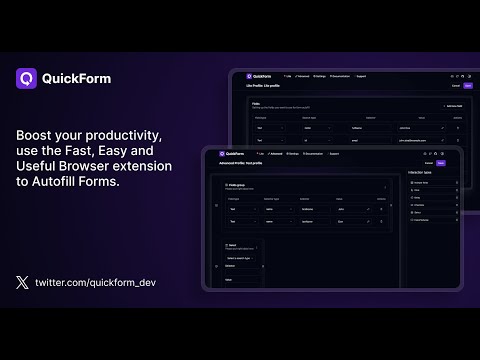
Record any form once, autofill it forever in one click. Works on React & complex web apps. Free, private, no account needed.
QuickForm is a free form autofill Chrome extension and form filler that lets you fill out any online form in one click. Unlike browser autofill or other auto fill extensions, QuickForm works on complex web apps: React, Angular, Vue, dynamic SPAs, internal tools, staging environments, and enterprise portals. 🔴 How It Works: 1. Activate Record Mode on any web form 2. Fill it out naturally - QuickForm saves every field automatically 3. One click to autofill that form anytime, instantly and accurately, every time ⚡ Features: ☁️ Sync Across Devices — Your profiles are securely stored and available on every Chrome instance you use. Switch machines, keep your forms. 🔥 Record Mode - Automatically detect and capture form fields. No manual configuration needed. 🤖 Smart Field Recognition - Recognize and fill new forms automatically across sites, even without recording them first. Opt out anytime in Settings. 🖱️ Auto-Click - Automate clicks between form steps, buttons, and navigation. ⏳ Smart Delays - Set timed pauses for pages with loading states or dynamic content. ✅ All Field Types - Input, textarea, checkbox, radio buttons, select dropdowns, date pickers, and more. 🏎️ Multiple Profiles - Create different profiles for different forms or environments. 📄 Duplicate Profiles - Clone and modify profiles for similar forms. 🔗 URL-Specific Profiles - Link profiles to specific websites for automatic form filling. 📥📤 Import/Export - Backup, share, and transfer profiles between devices. Now supporting CSV as well! 🎨 Autofill Animation - Customize the speed of form filling. ⚡ Fast Access - Fill forms from the toolbar icon or right-click context menu. 🎯 Built For: - QA engineers and testers running the same test forms hundreds of times across staging, dev, and production - Developers working with admin panels, staging forms, internal tools and environment-specific forms. - Job seekers tired of retyping the same details across every application portal - Data entry teams who need fast, accurate, repeatable form filling and repeatable submissions at scale. - Anyone who's tired of typing the same information into forms 🏆 Why QuickForm Over Other Autofill Extensions? - Works where others fail - Supports React, Angular, Vue, and dynamic web apps that break generic autofill tools. - Record Mode means zero setup - No CSS selectors, no field mapping, no technical knowledge needed. - 100% free - No premium tier, no paywalled features, no usage limits. - No account required - Install and start using immediately, no sign-up. Automate form filling in Chrome today. Download QuickForm, the fast, free, and private form filler and autofill extension trusted by 50,000+ users 🌟. Free forever.
4.7 out of 5273 ratings
Details
- Version1.17.4
- UpdatedJuly 31, 2026
- Size2.61MiB
- Languages8 languages
- DeveloperWebsite
Email
quickform.pro@gmail.com - Non-traderThis developer has not identified itself as a trader. For consumers in the European Union, please note that consumer rights do not apply to contracts between you and this developer.
Privacy

QuickForm - Autofill & Form Filler has disclosed the following information regarding the collection and usage of your data. More detailed information can be found in the developer's privacy policy.
QuickForm - Autofill & Form Filler handles the following:
This developer declares that your data is
- Not being sold to third parties, outside of the approved use cases
- Not being used or transferred for purposes that are unrelated to the item's core functionality
- Not being used or transferred to determine creditworthiness or for lending purposes
Support
For help with questions, suggestions, or problems, visit the developer's support site