


總覽
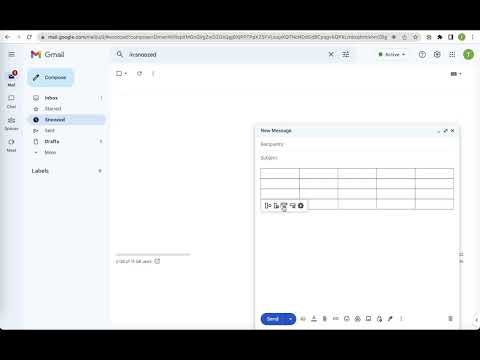
Quickly insert and edit table in Gmail when composing or replying
Make Email Tables Easier with "Quick table for gmail" Sending emails with tables can be a time consuming and tedious process. You have to copy and paste content from an online form, spreadsheet, or document into your message, and if you need to make changes to the table, you have to do it all over again. If you're looking for a simpler, more efficient way to add tables to your emails, Quick table for gmail is just what you need. With just a few clicks, you can create a table that fits your needs and insert it into your message with the click of a button. And if you need to make changes, you can do them right in the message with our convenient editing function. It is easy to use and completely free. Get started now and see how it can help you improve your email productivity. Please refer to the following link for the privacy policy https://www.workaddons.com/privacy
3.6 分 (滿分 5 分)7 個評分
詳細資料
隱私權
這位開發者就你的資料做出下列聲明:
- 除經核准的用途外,不會將你的資料販售給第三方
- 不會基於與商品核心功能無關的目的,使用或轉移資料
- 不會為了確認信用度或基於貸款目的,使用或轉移資料
支援
如有疑問或建議,請使用電腦版瀏覽器開啟這個頁面