


Genel bakış
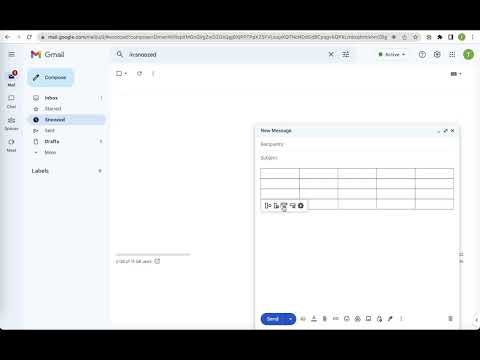
Quickly insert and edit table in Gmail when composing or replying
Make Email Tables Easier with "Quick table for gmail" Sending emails with tables can be a time consuming and tedious process. You have to copy and paste content from an online form, spreadsheet, or document into your message, and if you need to make changes to the table, you have to do it all over again. If you're looking for a simpler, more efficient way to add tables to your emails, Quick table for gmail is just what you need. With just a few clicks, you can create a table that fits your needs and insert it into your message with the click of a button. And if you need to make changes, you can do them right in the message with our convenient editing function. It is easy to use and completely free. Get started now and see how it can help you improve your email productivity. Please refer to the following link for the privacy policy https://www.workaddons.com/privacy
5 üzerinden 3,67 puan
Ayrıntılar
- Sürüm1.0.1
- Güncellenme tarihi:5 Kasım 2024
- Boyut2.09MiB
- DillerEnglish (United States)
- GeliştiriciWeb sitesi
E-posta
getworkaddons@gmail.com - Tacir olmayanBu yayıncı kendisini tacir olarak tanımlamamış. Avrupa Birliği'ndeki tüketiciler açısından bakıldığında, bu geliştiriciyle yapmış olduğunuz sözleşmelerde tüketici haklarının geçerli olmadığını lütfen unutmayın.
Gizlilik

Bu geliştirici, verilerinizle ilgili olarak aşağıdakileri beyan eder:
- Onaylanan kullanım alanları dışında üçüncü taraflara satılmaz
- Öğenin temel işleviyle alakasız amaçlar için kullanılmaz ya da aktarılmaz
- Kredibilitenin belirlenmesi veya borç verme amaçlarıyla kullanılmaz ya da aktarılmaz
Destek
Sorular, öneriler veya sorunlarla ilgili yardım için lütfen bu sayfayı masaüstü tarayıcınızda açın