

Quick Image Tools

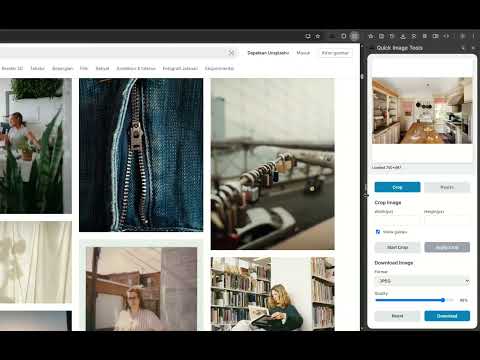
Overview
Edit images instantly, right from your browser.
Quick Image Tools lets you crop, resize, and compress images instantly—right from your browser. No more switching between apps or uploading files to online editors. With Quick Image Tools, you can prepare your images for websites, social media, or personal projects in just a few clicks. Whether you need to trim unwanted parts, adjust dimensions, or reduce file size, this extension makes the process fast and hassle-free. Why install Quick Image Tools? Save time – Edit directly in your browser without extra software. Stay productive – Make quick adjustments without interrupting your workflow. Optimize images – Reduce file sizes for faster uploads and web performance. Perfect for designers, marketers, content creators, or anyone who works with images on a daily basis.
0 out of 5No ratings
Details
- Version1.1
- UpdatedAugust 21, 2025
- Offered byZaen
- Size29.52KiB
- LanguagesEnglish (United States)
- Developer
Email
hi@zaen.my.id - Non-traderThis developer has not identified itself as a trader. For consumers in the European Union, please note that consumer rights do not apply to contracts between you and this developer.
Privacy

This developer declares that your data is
- Not being sold to third parties, outside of the approved use cases
- Not being used or transferred for purposes that are unrelated to the item's core functionality
- Not being used or transferred to determine creditworthiness or for lending purposes