

Quick-DAT
2 ratings
)
Overview
Quick email and maps integration for DAT load board
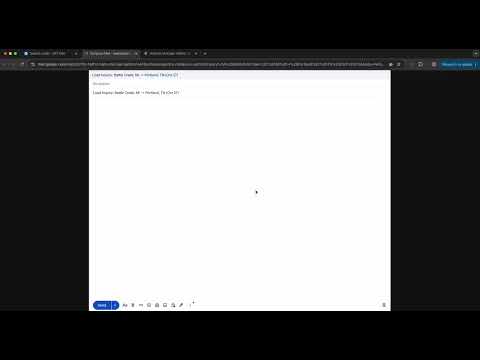
Quick-DAT — Faster load decisions inside DAT One Quick-DAT helps dispatchers move faster inside DAT One by adding simple, useful tools directly into the load popup. No copying. No extra tabs. No wasted clicks. With Quick-DAT, you can: - Open the route in Google Maps with one click - Open a Gmail draft to the broker with the subject line already filled in - See extra real RPM values in the load popup - Highlight loads that meet your target RPM What it adds to DAT One - Map button: Opens Google Maps from pickup to delivery - Email button: Opens a subject-only Gmail draft to the broker - Popup RPM insights: Shows PU RPM and TOT RPM directly inside the load popup - RPM highlighting: Highlights loads that meet or beat your target RPM - Local-only operation: No tracking, no analytics, no external data collection How it works 1. Open a load in DAT One 2. Click the map or email icon in the popup header 3. Review the route, contact the broker, and evaluate RPM faster Why dispatchers use it - Speeds up load review - Makes broker outreach faster - Surfaces more useful RPM numbers at a glance - Keeps the workflow simple and lightweight Current version notes - Gmail drafts are currently opened as subject-only drafts for reliability - Email body templates are temporarily disabled Compatibility - Works with DAT One - Requires Chrome 88+ - Requires a logged-in Gmail session for email drafting Privacy Quick-DAT runs locally in your browser. It does not track you, collect your data, or send load information to external servers.
5 out of 52 ratings
Details
- Version2.0.1
- UpdatedJune 8, 2026
- Offered bydeandrijauskas
- Size4.16MiB
- LanguagesEnglish (United States)
- Developer
Email
deandrijauskas@gmail.com - Non-traderThis developer has not identified itself as a trader. For consumers in the European Union, please note that consumer rights do not apply to contracts between you and this developer.
Privacy

This developer declares that your data is
- Not being sold to third parties, outside of the approved use cases
- Not being used or transferred for purposes that are unrelated to the item's core functionality
- Not being used or transferred to determine creditworthiness or for lending purposes
Support
For help with questions, suggestions, or problems, please open this page on your desktop browser