


總覽
Quick Anki card adder with translate, animated picture (.gif), and text-to-speech (TTS ) resources.
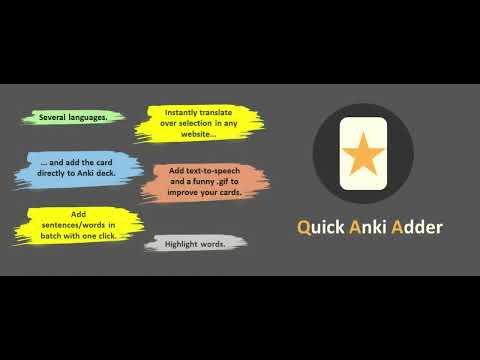
A quick Anki card adder with translate, animated picture (.gif), and text-to-speech (TTS ) resources. How to Use: https://www.linkedin.com/pulse/quick-anki-adder-chrome-extension-fran%C3%A7ois-souza/ - - - - - Setup - - - - - In order to use this app, you need to have the AnkiConnect (2055492159) add-on and do a little configuration described as follows: “Now, click on the AnkiConnect add-on and then on the Config button. In the windows that show up, there is the field "http://localhost". You need to change this to "*". This is a crucial step to do to make possible the communication between Anki and any website, otherwise, the connection will fail. You can read more about this with the CORS docs provided by the Mozilla 💻.” - - - - - Features - - - - - Instantly translate from selected word/sentence in any website: If you select a text on website a little popup will appers below your selection with the original sentence (that you can highlight any word by click on them) and the automatic translation 🔠; Instantly add a card to Anki: After setting up the target Anki language and deck by clicking the Quick Anki Adder icon, simply select the phrase on the website and click the Add to Anki 🃏 button. That's it! your card was created in a few seconds 🗃️; If you study on a smartphone or in books and collect phrases from there, just add all phrases in one batch option by clicking the 📃 Add multiple phrases button in the popup. It will open a new page where you can paste your sentence on the left side and on the right side the formed sentences will appear that you can highlight. It's an efficient way to add multiple sentences in just a few seconds 📑; You can improve your cards with the amazing free Text-To-Speech (TTS) feature provided by the VoiceRSS API. Just visit the Voice RSS website to request your key and place it in the Quick Anki Adder popup 🗣; You can enhance your cards with funny GIFs provided by GIPHY. Again, to use it, you just need to order a free key from the GIPHY website and place it in the Quick Anki Adder popup 🖼️;
1.9 分 (滿分 5 分)10 個評分
詳細資料
- 版本0.0.0.1
- 已更新2022年7月26日
- 提供者francoissouza17
- 大小40.51KiB
- 語言English
- 開發人員
電子郵件
FSMDEVS@gmail.com - 非交易商這位開發人員並未表明自己是交易商。歐盟地區的消費者請注意,消費者權利不適用於你和這位開發人員之間簽訂的合約。
隱私權

這位開發者就你的資料做出下列聲明:
- 除經核准的用途外,不會將你的資料販售給第三方
- 不會基於與商品核心功能無關的目的,使用或轉移資料
- 不會為了確認信用度或基於貸款目的,使用或轉移資料
支援
如有疑問或建議,請使用電腦版瀏覽器開啟這個頁面