

Quetext: AI Content Detector & Plagiarism Checker

Overview
Check any text for plagiarism and AI-written content. Highlight text on any page, scan text, and get results without switching tabs.
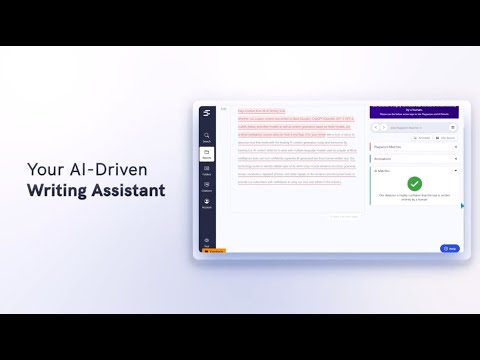
Welcome to Quetext for Chrome that brings its plagiarism checker and AI Detector into your browser. Highlight any text on a page, click the extension icon, and get instant results, no tab switching, no copying and pasting into a separate tool. Quetext is trusted by more than 10 million students, teachers, and professionals to write with integrity and confidence. From catching unintentional copying to identifying AI-generated text, Quetext gives you a complete picture of your work before you submit it. Quetext comes packed with tools to support every stage of your writing: an AI Humanizer, AI Summarizer, Grammar Checker, Citation Generator, and source exclusion. Paid accounts also unlock additional users and bulk file upload. How to install: Open the Chrome Web Store and search for "Quetext," or follow the link on our website. Click Add to Chrome, then confirm by selecting Add Extension. Once installed, click the puzzle icon in your toolbar, find Quetext, and pin it for easy access. Click the Quetext icon and sign in, or create a free account to get started right away. Highlight any text on a webpage or paste your content into the extension panel and run your scan. From the extension, you can scan content, check your plagiarism and AI score, and access your reports, all without leaving the page you're on. HOW IT WORKS Quetext's DeepSearch™ technology understands context, word placement, and sentence structure to catch all forms of copying and plagiarism. The AI Detection engine goes a step further, identifying text that may have been generated by major LLM tools like ChatGPT or Gemini and giving you a clear probability score. Results are displayed through ColorGrade™ Feedback, which visually distinguishes exact matches, near-matches, and AI-flagged passages so you can review everything side by side. Quetext also checks your grammar as you write, supporting 6 dialects of English and 9 additional languages. Paid plans include bulk file upload. Plans to Fit Your Needs Free: Access all tools without signing up, for up to 1,000 words per feature. A good way to try things out before committing. Individual Plans Plagiarism Checker: Starting at $9.99/mo. Upto 50K words per month. AI Detector: Starting at $7.99/mo. Upto 50K words per month. Essential: Starting at 8.25/mo. per user. Up to 100K words per month, downloadable originality reports, and batch uploads of up to 20 files at once. Professional: $16.50/mo. per user. Up to 200K words per month per feature, unlimited users, and batch uploads of up to 100 files. Enjoying Quetext? Please leave a rating, it helps other users find us!
4.8 out of 516 ratings
Details
- Version2.1.0
- UpdatedJune 8, 2026
- Size1.48MiB
- LanguagesEnglish (United States)
- DeveloperQuetext Software LLCWebsite
251 Little Falls Drive Wilmington, DE 19807 USEmail
accounts@quetext.comPhone
+49 160 91354491 - TraderThis developer has identified itself as a trader per the definition from the European Union and committed to only offer products or services that comply with EU laws.
- D-U-N-S119006970
Privacy

Quetext: AI Content Detector & Plagiarism Checker has disclosed the following information regarding the collection and usage of your data. More detailed information can be found in the developer's privacy policy.
Quetext: AI Content Detector & Plagiarism Checker handles the following:
This developer declares that your data is
- Not being sold to third parties, outside of the approved use cases
- Not being used or transferred for purposes that are unrelated to the item's core functionality
- Not being used or transferred to determine creditworthiness or for lending purposes
Support
For help with questions, suggestions, or problems, please open this page on your desktop browser