

QuenDraft AI: Your AI Companion Everywhere You Browse
14 ratings
)
Overview
Your AI companion for any site — reply emails, fix grammar, rewrite, chat with pages, summarize, translate & more.
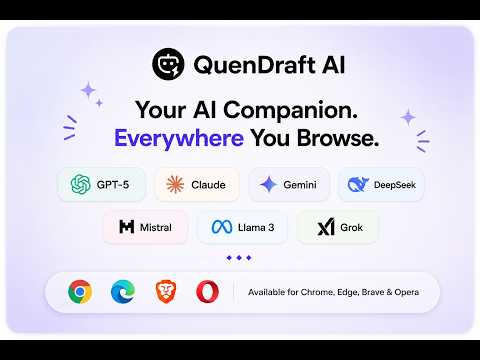
Get personalized AI help while you browse with QuenDraft AI. Rewrite text, draft replies, chat with the page you’re on, fix grammar, summarize articles, translate content, and create diagrams, mind maps, and infographics — without leaving your tab. Powered by leading AI models. Free to try. 📧 AI REPLY & EMAIL INTEGRATION Generate context-aware replies in your email and messaging tabs. Compose a new message from a few bullets, match the tone of the conversation, and send with less editing. ✍️ WRITE BETTER EVERYWHERE YOU TYPE QuenDraft AI detects text fields on email and messaging sites such as Gmail, LinkedIn, Outlook, WhatsApp, and more. Highlight any text to improve, rephrase, fix grammar, or change tone in place. 🌐 ASK AI SIDE PANEL — CHAT WITH ANY PAGE Open the side panel on any website to: Summarize long articles and docs Translate page content Build mind maps from what you’re reading Ask follow-up questions with full page context Snip screenshots and chat about charts, UI, or visuals 🚀 MULTI-MODEL AI CHAT Compare answers side by side in the web app with AI Multi Chat. Run the same prompt across multiple models at once and pick the best response. Free plan includes fast everyday models; Pro and Ultra unlock advanced models with higher limits. ✨ SELECT TEXT — TRANSFORM IN SECONDS Correct grammar and spelling Improve clarity and style Rephrase and adjust tone Translate to 50+ languages Summarize selections quickly 🎨 ALL-IN-ONE WEB APP Your account also includes a full AI workspace at quendraft.com: AI Chat with file attachments (PDF, images) Grammar checker & paraphraser Diagram & flowchart generator Infographic creator Mind map tool YouTube transcript & summary Image transcript & summary Web Page Summarizer Chat with PDFs AI detector & humanizer 🎙️ VOICE INPUT & WEB SEARCH Speak your prompts instead of typing. Use web search in the extension when you need up-to-date answers. 🎨 CLEAN, NON-INTRUSIVE DESIGN • Floating toolbar and side panel so you can stay on the page you’re working on • Integrated AI Reply buttons on Gmail, LinkedIn, and more • Keyboard-friendly chat with markdown support • Works in Chrome, Edge, Brave, and Opera ⚡ BUILT FOR SPEED Lightweight extension designed for everyday browsing. Fast responses on regular models; advanced models available on paid plans. 📱 ONE ACCOUNT, WEB + EXTENSION Use the same QuenDraft AI account in the browser extension and web app (https://www.quendraft.com/app) on desktop and mobile. 🔒 PRIVATE AND SECURE Your content is not sold to third parties and is not used to train AI models. Data is encrypted in transit. You can delete your account and data from Account Settings. 💬 HUMAN SUPPORT Questions or feedback? Contact us at support@quizmy.ai — we’re here to help. 💸 PRICING Free — 500 tool credits/month, 20 Regular AI responses/month (extension + Ask AI + Multi Chat), starter AI Chat, Chrome/Edge/Brave/Opera extension. No credit card required. Pro — Unlimited regular AI responses, ~1,000 advanced model responses/month, file attachments, priority features. Ultra — Unlimited regular + advanced AI Chat, all advanced models (~2,000 advanced responses/month), maximum limits. Annual billing saves 20%. See full pricing at https://www.quendraft.com/pricing ⬇️ Install QuenDraft AI for free and write better on every site you use.
4.9 out of 514 ratings
Details
- Version1.0.14
- UpdatedOctober 24, 2026
- FeaturesOffers in-app purchases
- Offered byQuenDraft AI
- Size478KiB
- LanguagesEnglish
- DeveloperQuenDraft AI LLC
30 N Gould street Sheridan, WY 82801 USEmail
hello@quendraft.comPhone
+1 419-269-5592 - TraderThis developer has identified itself as a trader per the definition from the European Union and committed to only offer products or services that comply with EU laws.
- D-U-N-S148254959
Privacy

QuenDraft AI: Your AI Companion Everywhere You Browse has disclosed the following information regarding the collection and usage of your data. More detailed information can be found in the developer's privacy policy.
QuenDraft AI: Your AI Companion Everywhere You Browse handles the following:
This developer declares that your data is
- Not being sold to third parties, outside of the approved use cases
- Not being used or transferred for purposes that are unrelated to the item's core functionality
- Not being used or transferred to determine creditworthiness or for lending purposes
Support
For help with questions, suggestions, or problems, please open this page on your desktop browser