Item logo image for Quant Alchemy - Strategy Optimizer

Quant Alchemy - Strategy Optimizer

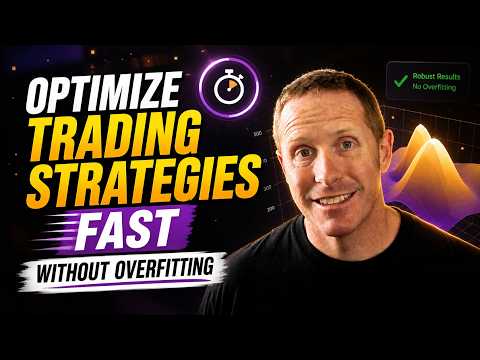
Item media 4 (screenshot) for Quant Alchemy - Strategy Optimizer
Item video thumbnail
Item media 2 (screenshot) for Quant Alchemy - Strategy Optimizer
Item media 3 (screenshot) for Quant Alchemy - Strategy Optimizer
Item media 4 (screenshot) for Quant Alchemy - Strategy Optimizer
Item video thumbnail
Item media 2 (screenshot) for Quant Alchemy - Strategy Optimizer
Item media 3 (screenshot) for Quant Alchemy - Strategy Optimizer
Item media 4 (screenshot) for Quant Alchemy - Strategy Optimizer

Overview

Optimize TradingView strategies with parameter search, walk-forward testing, charts, CSV exports, and private local run history.

Turn TradingView Strategy Tester into a practical parameter-research workspace. Quant Alchemy Strategy Optimizer runs optimization cycles against the strategy already open on your TradingView chart. Choose a target metric, define numeric, boolean, or list-valued parameter ranges, and compare candidate configurations without manually editing every input. KEY FEATURES • Random, all-random, simulated-annealing, and sequential search methods • Maximize or minimize Strategy Tester metrics • Walk-forward in-sample/out-of-sample execution controls • Deep-backtest, symbol, watchlist, and timeframe workflows • 3D surface and heat-map visualization • Local run history with load, rename, and delete controls • CSV parameter templates, result exports, and result imports • Best discovered parameters applied back to the chart YOUR DATA STAYS IN YOUR BROWSER Backtests execute through your own TradingView session. Strategy parameters, settings, and optimization results remain in browser extension storage unless you export a CSV. The extension does not send your strategy results to a Quant Alchemy server. REQUIREMENTS A TradingView chart with a Pine Script strategy and access to TradingView's Strategy Tester. Availability of some TradingView features depends on your TradingView plan. IMPORTANT Backtests are hypothetical and are not financial advice. Past or simulated performance does not guarantee future results. This independent extension is not affiliated with or endorsed by TradingView.

Details

  • Version
    0.3.0
  • Updated
    August 18, 2026
  • Offered by
    Quant Alchemy
  • Size
    1.89MiB
  • Languages
    English (United States)
  • Developer
    Email
    web-ext-support@quantalchemy.io
  • Non-trader
    This developer has not identified itself as a trader. For consumers in the European Union, please note that consumer rights do not apply to contracts between you and this developer.

Privacy

Manage extensions and learn how they're being used in your organization

Quant Alchemy - Strategy Optimizer has disclosed the following information regarding the collection and usage of your data. More detailed information can be found in the developer's privacy policy.

Quant Alchemy - Strategy Optimizer handles the following:

Website content

This developer declares that your data is

  • Not being sold to third parties, outside of the approved use cases
  • Not being used or transferred for purposes that are unrelated to the item's core functionality
  • Not being used or transferred to determine creditworthiness or for lending purposes

Related

TradingView Strategy Optimizer by OptiNod

5.0

TradingView strategy optimizer: scan parameters, compare hundreds of backtests, and apply top candidates to your chart.

TradePilot: AI Copilot & Pine Script AI

0.0

AI copilot inside TradingView: analyze charts, draw levels, get market data, scan watchlists, and build Pine Script that runs.

Strategy Optimizer for TradingView

4.0

Free, open-source optimizer for TradingView strategies: grid search, walk-forward validation, prop firm check and heatmaps.

QuantCrawler Chart Analyzer

5.0

Capture TradingView charts and get instant AI-powered trading analysis with entry, stop loss, and profit targets.

AlgoPro TV Assistant

0.0

Strategy optimization assistant for TradingView.

TradeTuning: TradingView Strategy Optimizer & Trading Backtesting Assistant

4.8

Automate backtesting and trading parameter optimization directly on TradingView charts.

TestingView.com (TradingView extension)

5.0

Adds advanced backtesting & journaling to TradingView: simulate trades, track positions & analyze performance.

QC Strategy Optimizer

5.0

Automate TradingView strategy backtesting — optimize parameters and find the best settings.

iScale Research for Etsy

0.0

Open-source, local-first research for Etsy with collection, batch jobs, Shop View, and CSV export.

Lune TradingView Assistant

0.0

Strategy optimizer, backtester, and trading assistant for TradingView

ChartLense: AI Chart Analysis & Journaling

3.7

AI chart analysis & daily journal for TradingView. Instant pattern recognition and trend insights — without leaving your chart.

TradingView Strategy Optimizer (AI Assisted) by Backpulse

5.0

Automated TradingView backtest & Pine Script optimizer. Scan parameters, run Brute Force search & boost ROI in 1 click.

TradingView Strategy Optimizer by OptiNod

5.0

TradingView strategy optimizer: scan parameters, compare hundreds of backtests, and apply top candidates to your chart.

TradePilot: AI Copilot & Pine Script AI

0.0

AI copilot inside TradingView: analyze charts, draw levels, get market data, scan watchlists, and build Pine Script that runs.

Strategy Optimizer for TradingView

4.0

Free, open-source optimizer for TradingView strategies: grid search, walk-forward validation, prop firm check and heatmaps.

QuantCrawler Chart Analyzer

5.0

Capture TradingView charts and get instant AI-powered trading analysis with entry, stop loss, and profit targets.

AlgoPro TV Assistant

0.0

Strategy optimization assistant for TradingView.

TradeTuning: TradingView Strategy Optimizer & Trading Backtesting Assistant

4.8

Automate backtesting and trading parameter optimization directly on TradingView charts.

TestingView.com (TradingView extension)

5.0

Adds advanced backtesting & journaling to TradingView: simulate trades, track positions & analyze performance.

QC Strategy Optimizer

5.0

Automate TradingView strategy backtesting — optimize parameters and find the best settings.

Google apps