

qtab - Scratchpad New Tab

Overview
A calm new tab for your calendar, tasks, notes, saved links and focus tools.
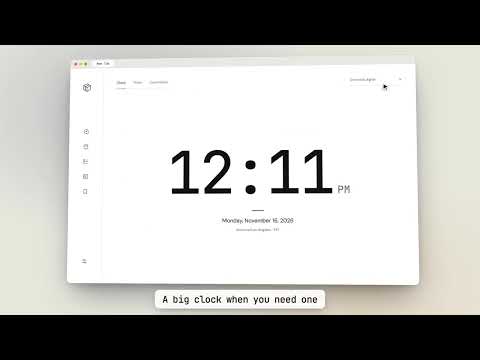
qtab turns every new tab into a quiet workspace. Each tool has its own full view, so nothing competes for space. New tabs open to Clock by default. Choose another start view in Settings, or reopen the last view you used. Calendar Month, Week, and Day views. Add events with times, locations, or all-day dates. Hover an event for details. Todo A scratchpad for quick tasks. Drag to reorder and undo deletions. Tasks clear 24 hours after you add them, so the list stays short. Notes Multiple documents with headings, lists, links, and syntax-colored code blocks. Reorder them in a simple cabinet. Bookmarks Keep the links you open every day in Work, Personal, and Temporary groups, with search. Dashboard Today's agenda, open tasks, and favorite links on one screen. Clock A large clock in three styles, a focus timer with 15, 25, and 45 minute presets, and a countdown to any date. Make it yours Light, dark, or system theme. Four type styles. 12 or 24 hour time, Monday or Sunday weeks, and optional textured backgrounds. Navigation fades away when you stop moving the mouse. Private by design Everything stays in your browser. No account, no tracking, no network requests. Export a backup file whenever you like.
0 out of 5No ratings
Details
- Version1.0.2
- UpdatedNovember 18, 2026
- Offered byOC WEBFIRM
- Size771KiB
- LanguagesEnglish
- Developer
Email
quangtn@ocwebfirm.com - Non-traderThis developer has not identified itself as a trader. For consumers in the European Union, please note that consumer rights do not apply to contracts between you and this developer.
Privacy

This developer declares that your data is
- Not being sold to third parties, outside of the approved use cases
- Not being used or transferred for purposes that are unrelated to the item's core functionality
- Not being used or transferred to determine creditworthiness or for lending purposes
Support
For help with questions, suggestions, or problems, please open this page on your desktop browser