

QR Code Scanner & Generator

Tổng quan
QR Code Scanner & Generator
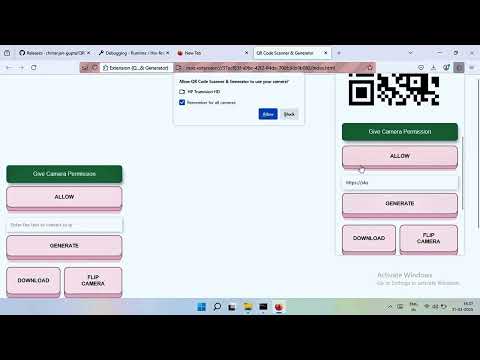
https://youtu.be/8MB_XI2_2Fk QR Code Scanner & Generator QR Code Scanner and Generator Firefox Extension This Firefox extension allows users to easily generate and scan QR codes directly from their browser. It provides a simple, user-friendly interface for quickly scanning QR codes using your camera or from images and generating QR codes from text or selected content like URLs, images, audio, and videos. Features QR Code Scanner: Scan QR codes from images. Scan QR codes using your device's camera. QR Code Generator: Generate QR codes from text, URLs, or any custom content. Generate QR codes from selected text, image, video, or audio URLs via a right-click context menu. Cross-Browser Compatibility: Works seamlessly on both types of browsers. Context Menu Integration: Easily generate QR codes for selected text, image, video, or audio URLs directly from the right-click menu. Easy-to-Use Interface: Simple and intuitive UI for both scanning and generating QR codes. Installation For Mozilla Firefox Go to the Firefox Add-ons website and search for "QR Code Scanner and Generator" or click here to go directly to the extension page. Click the Add to Firefox button. Confirm by clicking Add in the popup. Once installed, the extension icon will appear in the browser toolbar. Usage Scanning QR Codes Click the extension icon in the toolbar to open the scanner. Select an image file from your computer that contains a QR code or click the camera icon to scan a QR code using your device's camera. The extension will automatically decode the QR code and display its content (URL, text, etc.). If the content is a URL, you can directly click on it to open it in a new tab. Generating QR Codes Click the extension icon in the toolbar to open the QR code generator. Enter the content (text, URL, etc.) you want to encode in the text box. Click Generate QR Code. The generated QR code will appear on the screen. You can click to download the QR code image or copy it to the clipboard. Generating QR Codes via Context Menu Text: Select any text on a webpage, right-click, and select Generate QR Code from the context menu to instantly create a QR code for that text. Image: Right-click on an image, select Generate QR Code, and the extension will generate a QR code linking to the image. Video URL: Right-click on a video URL, and select Generate QR Code to create a QR code for that URL. Audio URL: Right-click on an audio URL and select Generate QR Code to create a QR code for that audio file. Features Breakdown Scan QR codes from images: Upload or drag an image with a QR code into the extension to decode it. Scan QR codes from your camera: Use your device's camera to scan QR codes in real time. Generate QR codes from any content: Enter text, URL, or any other data to generate a QR code. Context Menu Integration: Right-click on selected text, image, video, or audio URLs to generate a QR code. Cross-platform support: The extension works on both type of browsers. License This extension is open-source and distributed under the MIT License. This extension is also available for Edge Browser https://microsoftedge.microsoft.com/addons/detail/qr-code-scanner-generat/mfnikgfcadjfkjonhcebmifiohbobjmm Libary Used in this Project: https://github.com/nimiq/qr-scanner https://github.com/davidshimjs/qrcodejs
0/5Không có lượt xếp hạng nào
Chi tiết
- Phiên bản1.0.2
- Đã cập nhật25 tháng 10, 2025
- Nhà cung cấpChitranjan Kumar Gupta
- Kích thước35.92KiB
- Ngôn ngữEnglish
- Nhà phát triển
Email
chitranjankumargupta123@gmail.com - Người bán phi thương mạiNhà phát triển này không tự nhận mình là người bán. Đối với người tiêu dùng ở Liên minh Châu Âu, xin lưu ý rằng các quyền của người tiêu dùng không được áp dụng trong hợp đồng giữa bạn và nhà phát triển này.
Quyền riêng tư

Nhà phát triển này tuyên bố rằng dữ liệu của bạn
- Không được bán cho bên thứ ba, ngoài những trường hợp sử dụng đã được phê duyệt
- Không được sử dụng hoặc chuyển nhượng cho các mục đích không liên quan đến chức năng chính của mặt hàng
- Không được sử dụng hoặc chuyển nhượng để xác định khả năng thanh toán nợ hoặc phục vụ mục đích cho vay