


Overview
Make QR codes for links, text, Wi-Fi and email, and read QR codes from any web page, screenshot or image. Private by design.
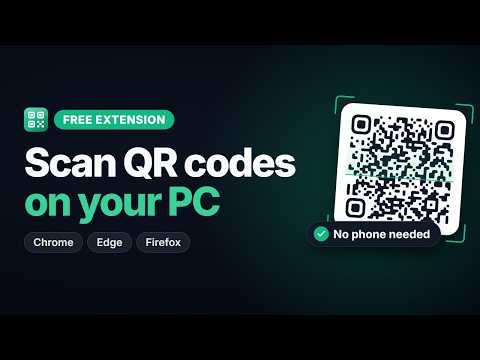
Create and scan QR codes right in your browser with one click. The QR Code Generator and Scanner extension lets you quickly create QR codes for links, text, Wi-Fi networks and email, and read QR codes from any web page, screenshot or image. When you open it, it instantly turns the URL of the active tab into a QR code and shows it in a clean, compact popup, ready to download or copy. Key Features - Generate a QR code for the current tab with one click - Create QR codes for URLs, plain text, Wi-Fi networks and email - Scan every QR code visible on the current web page at once - Scan QR codes from screenshots and images by dropping, pasting or uploading them - Right-click any image to scan it, or any page, link or selected text to turn it into a QR code - Customize colors, module shape (square, rounded or dots), border and error-correction level - Download as PNG (128 to 2048 px) or SVG, or copy to the clipboard - Get warned about scanned links that aren't HTTPS, use look-alike characters or hide login details - Keep a searchable history of the QR codes you create and scan - Dock it in the Chrome side panel to keep it open while you browse - Light and dark themes - No account or sign-up needed All QR code generation and scanning happens locally in your browser. The links, images and screenshots you use are never uploaded, and nothing is sent to our servers. Your history is stored only on your device, and you can turn it off or clear it at any time. Optional permissions, like following the active tab from the side panel, are only requested when you turn on the feature that needs them. The built-in QR code reader scans codes straight from your screen, so you don't need to reach for your phone. It recognizes what each code contains and shows it clearly, whether it's a website link, Wi-Fi login, email address, phone number, SMS, map location or contact card (vCard or MeCard). If an image has several codes, drag over the one you want and it scans just that area. Wi-Fi QR codes support WPA, WEP, open and hidden networks, so guests can join your network by scanning instead of typing the password. The extension also warns you when your chosen colors have too little contrast to scan reliably. Where can you use it? - Send a web page from your computer to your phone without typing the URL. - Share your Wi-Fi network with guests, customers or coworkers. - Add QR codes to flyers, posters, menus, packaging and slides, using SVG or high-resolution PNG for print. - Check where a QR code in an email, screenshot or document leads before you open it. - Read phone numbers, contact cards and map locations from QR codes on your computer. - Test the QR codes on your own printed materials before they go out. Have a question or a feature request? Let us know through the Support tab.
0 out of 5No ratings
Details
- Version1.0.0
- UpdatedOctober 1, 2026
- Size715KiB
- LanguagesEnglish
- DeveloperWebsite
Email
info@peartools.com - Non-traderThis developer has not identified itself as a trader. For consumers in the European Union, please note that consumer rights do not apply to contracts between you and this developer.
Privacy

This developer declares that your data is
- Not being sold to third parties, outside of the approved use cases
- Not being used or transferred for purposes that are unrelated to the item's core functionality
- Not being used or transferred to determine creditworthiness or for lending purposes