


Overview
Self-custody wallet for Quantus. Hold and send QTC, and review every transaction before you sign it.
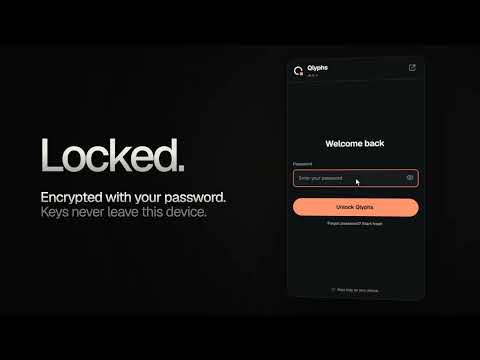
Qlyphs Wallet is a self-custody wallet for QTC on Quantus, a blockchain whose accounts are signed with ML-DSA, a post-quantum signature scheme. HOLD AND SEND QTC • Send and receive QTC, with a QR code for your address. • Several accounts from one recovery phrase, each with its own name. • Funds that are still arriving are shown apart from what you can spend. SIGN WITH CARE • Every request from a site opens a review: the site, the recipient, the amount and the fees, before you approve. • Connecting to a site shares your address only. Each transaction still needs your approval. FOLLOW EVERY TRANSACTION • Sent, in a block, final: each transaction is followed on screen until it is settled. YOUR KEYS STAY ON YOUR DEVICE • The recovery phrase is encrypted with your password (AES-256-GCM, PBKDF2 with 600,000 iterations) and never leaves the browser. • Optional passkey unlock, encrypted backups, automatic lock when the session ends. • No analytics, no tracking, no remote code. Swap and Qlyphs are coming soon. Qlyphs Wallet is an independent project. It is not made by, or affiliated with, Quantus Network. Always keep an offline copy of your recovery phrase: nobody can recover it for you. Open source (MIT): read the code at https://github.com/yacinealloul/qlyphs-wallet
5 out of 55 ratings
Details
- Version0.9.0
- UpdatedOctober 20, 2026
- Size810KiB
- LanguagesEnglish (United States)
- Developer
- Non-traderThis developer has not identified itself as a trader. For consumers in the European Union, please note that consumer rights do not apply to contracts between you and this developer.
Privacy

This developer declares that your data is
- Not being sold to third parties, outside of the approved use cases
- Not being used or transferred for purposes that are unrelated to the item's core functionality
- Not being used or transferred to determine creditworthiness or for lending purposes
Support
For help with questions, suggestions, or problems, please open this page on your desktop browser