

QExtract – PDF, DOCX to Quiz Generator

Overview
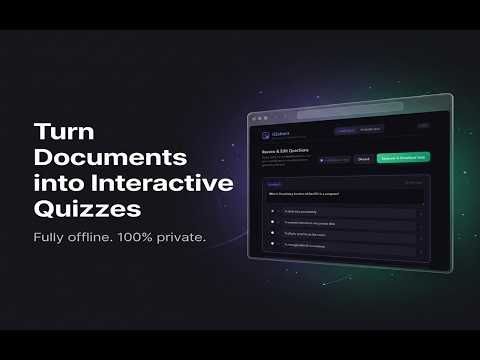
Convert PDF, DOCX, and TXT question papers into interactive quizzes. Extract multiple question types and generate tests offline.
QExtract: Turn Documents Into Reviewable Study Sets QExtract helps teachers, tutors, students, and parents turn existing papers and study material into editable practice sets in the browser. Import a document or web page, review the extracted items, correct anything that needs human judgment, and then use the result for practice, classroom worksheets, student evaluation, or sharing with teaching tools. WHAT IT DOES - Extract questions from source material Detect item text, options, answer keys, common numbering styles, scanned labels, multi-column layouts, and mixed formats. - Review before using Preview every extracted item, edit text, adjust options, set correct answers, remove low-quality results, and attach or remove question images. - Run practice sessions Launch an interactive player directly from the reviewed set. - Evaluate responses locally Upload an answer key and a student response file to score objective answers and review descriptive answers in the browser. - Create teaching material Generate printable worksheets, answer sheets, flashcards, and downloadable classroom packages from reviewed content. - Share with classroom workflows Prepare reviewed content for forms, learning platforms, study decks, offline worksheets, and archive bundles. - Keep files private Parsing and generation run locally in your browser. Uploaded files are not sent to our servers. WHAT IS NEW IN v1.7.0 - Much better with maths papers: fractions and square-root signs that are drawn as artwork (invisible to ordinary text extraction) are now rebuilt correctly, so values like the square root of 7 no longer come through as plain 7. - Equations display properly in the quiz player and in exported quizzes, using your browser's built-in maths rendering. Nothing is downloaded. - Large question banks are handled far better. On a 174-page maths bank the extractor now finds about four times as many questions as before. - Fewer wrong answer keys: a stray "Answers" heading no longer causes later questions to pick up answers that were never theirs. - Fewer false duplicate warnings. Questions that differ only by a sign or a number, such as the points (2, 3) and (-2, 3), are correctly treated as different questions. - Free-response maths questions (Simplify, Prove, Find the value of) are no longer flagged for review just for having no options. GOOD FOR - Teachers creating practice tests from old papers - Students turning study material into self-check practice - Tutors preparing worksheets and revision material - Parents generating school practice material - Anyone who wants a private, browser-based study workflow NOTES Extraction quality depends on the source document. Clean typed files usually work best. Scanned files can require extra review. QExtract is designed to speed up preparation, not remove the final review step. Start with source material, review the extracted items, and build a usable practice set or worksheet in minutes.
0 out of 5No ratings
Details
- Version1.7.0
- UpdatedJuly 25, 2026
- Offered byShubham Singh
- Size6.24MiB
- LanguagesEnglish
- Developer
Email
shubix.connect@gmail.com - Non-traderThis developer has not identified itself as a trader. For consumers in the European Union, please note that consumer rights do not apply to contracts between you and this developer.
Privacy

This developer declares that your data is
- Not being sold to third parties, outside of the approved use cases
- Not being used or transferred for purposes that are unrelated to the item's core functionality
- Not being used or transferred to determine creditworthiness or for lending purposes
Support
For help with questions, suggestions, or problems, please open this page on your desktop browser