

QExtract – PDF, DOCX to Quiz Generator

Overview
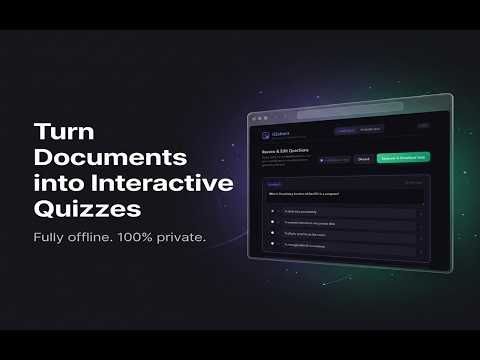
Convert PDF, DOCX, and TXT question papers into interactive quizzes. Extract multiple question types and generate tests offline.
QExtract is a fast, privacy-first Chrome extension that converts your question documents into clean, interactive HTML quizzes — instantly and completely offline. ✨ Core Features • 📄 Universal Document Support Extract questions from .pdf, .doc, .docx, and .txt files with automatic formatting and structure detection. • 🧠 Smart Question Detection Automatically identifies common formats like MCQs, True/False, and structured questions with options. • ⚡ Instant Quiz Generation Convert extracted questions into a ready-to-use interactive HTML quiz in seconds — no manual typing required. • 📝 Review & Edit Before Export Preview and edit extracted questions before generating the final quiz. Fix formatting and adjust options easily. • 🎯 Interactive Quiz Experience Generated quizzes include smooth navigation, clear option selection, and progress tracking. • 📥 Download Responses Students can submit answers and download their response file instantly for sharing or evaluation. • 🌍 100% Offline & Private All processing happens locally in your browser. Your files never leave your system. 💡 Perfect For • Teachers creating quick tests • Students practicing from past papers • Anyone converting static documents into usable quizzes ⚡ Simple Workflow Upload → Extract → Review → Generate → Attempt → Export Start saving hours of manual work with QExtract.
0 out of 5No ratings
Details
- Version1.1.0
- UpdatedMay 3, 2026
- Offered byShubham Singh
- Size2.27MiB
- LanguagesEnglish
- Developer
Email
shubix.connect@gmail.com - Non-traderThis developer has not identified itself as a trader. For consumers in the European Union, please note that consumer rights do not apply to contracts between you and this developer.
Privacy

This developer declares that your data is
- Not being sold to third parties, outside of the approved use cases
- Not being used or transferred for purposes that are unrelated to the item's core functionality
- Not being used or transferred to determine creditworthiness or for lending purposes
Support
For help with questions, suggestions, or problems, please open this page on your desktop browser