

QExtract – PDF, DOCX to Quiz Generator

Overview
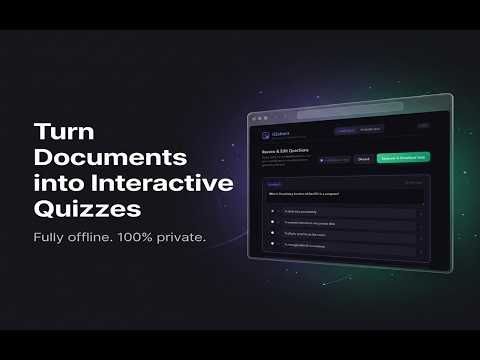
Convert PDF, DOCX, and TXT question papers into interactive quizzes. Extract multiple question types and generate tests offline.
QExtract: Turn Documents Into Interactive Quizzes QExtract helps teachers, tutors, students, and parents convert question papers into editable quizzes, worksheets, and Google Forms without sending documents to a server. Upload PDF, DOCX, DOC, or TXT files, review the extracted questions, fix anything that needs human judgment, and then use the result as an interactive quiz or printable worksheet. WHAT QEXTRACT DOES - Create quizzes from documents Import exam papers, assignments, textbook practice pages, and typed question banks. QExtract detects question text, options, answer keys, and common question formats. - Review before publishing Preview every extracted question, edit text, adjust options, set correct answers, and remove low-quality items before using the quiz. - Take quizzes in the app Launch an interactive quiz player directly from your extracted questions. - Evaluate student responses Upload an answer key and a student response file to score MCQ-style answers and rubric-based descriptive answers locally in the browser. - Generate worksheets Create clean printable worksheets for classroom or offline practice. - Send to Google Forms Export extracted questions into a new Google Form when you want to share a quiz online. - Keep files private Parsing and quiz generation run locally in your browser. Your uploaded files are not sent to a QExtract server. WHAT IS NEW IN v1.4.0 - Stronger parser release gates Parser fixture, real-file, visual, accessibility, export, and evaluation automation now cover release-critical workflows before packaging. - Better noisy-PDF handling Expanded diagnostics and quality checks reduce garbage questions from Word-exported math PDFs, hollow formula stems, repeated text, and merged sections. - More reliable image handling Image-heavy and visual-only pages now have stronger nonblank checks, payload budgets, and diagram-to-question regression coverage. - Web Import Capture quiz-style content from the active web page using a user-triggered local workflow, with source attribution preserved through review and export. - Export and evaluation hardening Standalone take_quiz.html, quiz .qex, answer-key .qex, worksheet HTML, and response JSON paths are covered by round-trip automation. - Interactive quiz improvements Exported quizzes support matching, fill-in-the-blank, true/false, multi-select, formula entry, response JSON feedback hints, and rubric coverage metadata. - Safer code and formula rendering Generated quiz HTML safely escapes code snippets and formats standalone formula lines without allowing embedded HTML to break the quiz. - Secure QEX capsules remain supported Quiz and answer-key .qex exports stay protected with password-based AES-GCM secure capsules, while older QExtract files can still be imported. GOOD FOR - Teachers creating practice tests from old papers - Students turning study material into self-check quizzes - Tutors preparing worksheets and revision sets - Parents generating practice material from school documents - Anyone who wants a private, browser-based document-to-quiz workflow NOTES Extraction quality depends on the source document. Clean typed PDFs and DOCX files usually work best. Scanned files can require OCR and may need extra review. QExtract is designed to speed up quiz creation, not remove the final review step. Start with a document, review the extracted questions, and build a quiz in minutes.
0 out of 5No ratings
Details
- Version1.4.0
- UpdatedJune 13, 2026
- Offered byShubham Singh
- Size3.32MiB
- LanguagesEnglish
- Developer
Email
shubix.connect@gmail.com - Non-traderThis developer has not identified itself as a trader. For consumers in the European Union, please note that consumer rights do not apply to contracts between you and this developer.
Privacy

This developer declares that your data is
- Not being sold to third parties, outside of the approved use cases
- Not being used or transferred for purposes that are unrelated to the item's core functionality
- Not being used or transferred to determine creditworthiness or for lending purposes
Support
For help with questions, suggestions, or problems, please open this page on your desktop browser