


Overview
A comfortable dark theme for QuickBooks Online, with darkness and contrast controls. Not affiliated with Intuit.
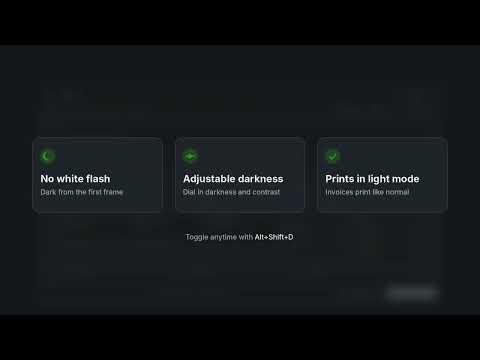
Easy on the eyes after hours of bookkeeping. QBO DARK MODE gives QuickBooks Online a clean dark theme. It loads instantly, so you never get a bright white flash, and it keeps the colors you rely on: overdue amounts stay red, paid stays green, and buttons keep their color. FEATURES • One-click dark theme for QuickBooks Online • Adjustable darkness and contrast sliders • Photos, logos and receipt images keep their true colors • Invoice and attachment previews can stay light, so you see what your customer sees • Printing always uses light mode, so invoices and reports print normally • Keyboard shortcut: Alt+Shift+D to toggle on or off • Settings sync across your Chrome browsers PRIVACY QBO DARK MODE changes only how QuickBooks Online looks on your screen. It does not read, collect, store or send any of your financial data. It makes no network requests, and its only permission is saving your display settings. SUPPORTED SITES QuickBooks Online in the US, Canada, UK and Australia. QBO DARK MODE is an independent extension and is not affiliated with, endorsed by or sponsored by Intuit Inc. QuickBooks and QuickBooks Online are trademarks of Intuit Inc.
0 out of 5No ratings
Details
- Version1.0.0
- UpdatedNovember 2, 2026
- Size9.01KiB
- LanguagesEnglish (United States)
- Developer
- Non-traderThis developer has not identified itself as a trader. For consumers in the European Union, please note that consumer rights do not apply to contracts between you and this developer.
Privacy

This developer declares that your data is
- Not being sold to third parties, outside of the approved use cases
- Not being used or transferred for purposes that are unrelated to the item's core functionality
- Not being used or transferred to determine creditworthiness or for lending purposes
Support
For help with questions, suggestions, or problems, visit the developer's support site