

PTR-Tracker
1 rating
)
Overview
P&L calendar, account stats, payouts and a trade copier for Vest Markets traders. Requires a PTR-Tracker license.
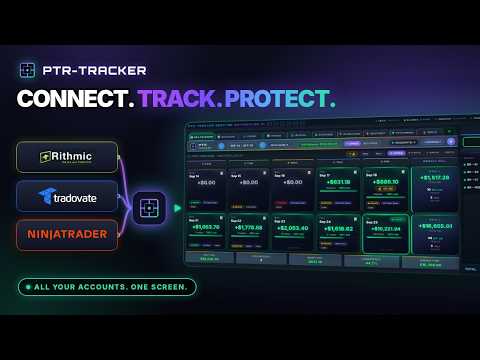
PTR-Tracker turns your Vest Markets account history into a trading journal, right inside Chrome. Requires a PTR-Tracker license. Get the PTR-Tracker Extension plan ($19.99/month) at https://sniperflow.ai/extension.html. Every full PTR-Tracker plan includes the extension at no extra cost, with the same license key. WHAT YOU GET - P&L calendar: daily and weekly results on Vest's trading day, with win rate and trade count for every day. - Accounts: every evaluation and funded account with status, balance, drawdown room, trading days and pass rate. - Trades: analytics, closed trades and live open positions, with filters from Today to Overall. - Payouts: paid, processing, total spent on evaluations and your net earnings. - P&L share card: download or copy a clean card of your day. - Live numbers: open P&L, balances and drawdown update while your Vest tab is open. - Trade copier (optional, off by default): choose a leader account and follower accounts, and PTR-Tracker repeats your leader's trades, stops and targets on the followers. Size followers the same as the leader or by balance, set daily loss and profit limits per account, and stop everything with KILL or Alt+Shift+K. HOW IT WORKS 1. Install the extension and enter your PTR-Tracker license key. 2. Open your Vest Markets tab and sign in as usual. 3. PTR-Tracker reads the account data your Vest tab already loads and builds your calendar, stats and payouts. YOUR DATA STAYS WITH YOU PTR-Tracker never asks for your Vest password. Your trades, balances and payouts are stored in your own browser and are never sent to SniperFlow.ai or anyone else. The only thing sent to SniperFlow.ai is the license check: your license key, a random install ID and the extension version. Privacy policy: https://sniperflow.ai/ptr-vest-privacy.html ABOUT THE TRADE COPIER The copier places orders on the accounts you choose. Check Vest Markets' rules for your account type before turning it on. Copies can fail or fill at a different price than the leader, so watch your accounts while it runs. SUPPORT Email support@sniperflow.ai or visit https://sniperflow.ai/support.html PTR-Tracker is made by SniperFlow.ai. It is not affiliated with or endorsed by Vest Markets.
5 out of 51 rating
Details
- Version0.9.32
- UpdatedNovember 5, 2026
- Offered bySniperFlow.ai
- Size440KiB
- LanguagesEnglish
- DeveloperMARTIN FINANCIAL HOLDINGS LLC
3343 Peachtree Rd NE Ste 145-599 Atlanta, GA 30326-1085 USEmail
support@sniperflow.aiPhone
+1 678-724-7889 - TraderThis developer has identified itself as a trader per the definition from the European Union and committed to only offer products or services that comply with EU laws.
- D-U-N-S118534292
Privacy

This developer declares that your data is
- Not being sold to third parties, outside of the approved use cases
- Not being used or transferred for purposes that are unrelated to the item's core functionality
- Not being used or transferred to determine creditworthiness or for lending purposes
Support
For help with questions, suggestions, or problems, visit the developer's support site