

PTE score breakdown and sub-skills by Leap English Pathways

Overview
See your PTE score broken down on myPTE, then save it to Leap English Pathways to practise what will lift it most.
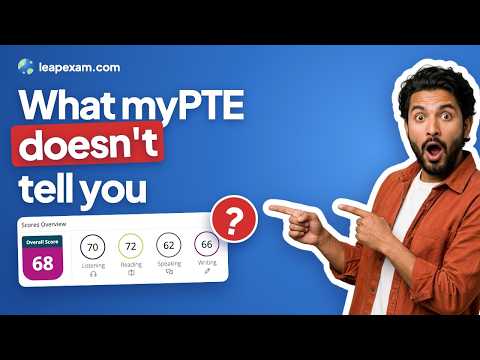
Got your PTE score? See what it means and what to practise next. Open your score report on Pearson's myPTE website. Leap Exam shows a breakdown of your score next to it. You don't need an account to see it. It works for PTE Academic and PTE Core. What you see • Your overall score and your four skill scores, each with its IELTS band and CEFR level (CLB level for PTE Core) • Your eight Skills Profile scores, with what each one measures and which question types count towards it • Every question type in the test, your estimated level on it, and how much it counts towards your score • The question types to practise first for your goal Choose your goal Pick Competent, Proficient or Superior English, or type in the score you need. The extension checks each skill against your goal and shows which question types to work on first. Save your score to Leap App If you use Leap application, you can save your score to your account with one click. Leap App has practice for all 22 PTE question types in the real test format, with feedback on your answers. You can start for free. Your privacy The extension reads only your score report on myPTE. It takes your scores and your test date, and nothing else. It never reads your name, date of birth, ID numbers or photo, and it doesn't see the other websites you visit. Your scores stay in your browser until you choose to save them to Leap Exam. How to use it 1. Add the extension to Chrome. 2. Sign in to myPTE and open your score report. 3. Your breakdown opens next to the report.
5 out of 53 ratings
Details
- Version1.2.0
- UpdatedOctober 30, 2026
- Size460KiB
- LanguagesEnglish
- Developer
- Non-traderThis developer has not identified itself as a trader. For consumers in the European Union, please note that consumer rights do not apply to contracts between you and this developer.
Privacy

PTE score breakdown and sub-skills by Leap English Pathways has disclosed the following information regarding the collection and usage of your data. More detailed information can be found in the developer's privacy policy.
PTE score breakdown and sub-skills by Leap English Pathways handles the following:
This developer declares that your data is
- Not being sold to third parties, outside of the approved use cases
- Not being used or transferred for purposes that are unrelated to the item's core functionality
- Not being used or transferred to determine creditworthiness or for lending purposes
Support
For help with questions, suggestions, or problems, visit the developer's support site