


Overview
Convert webpages, selected text, and multiple tabs to clean Markdown or ready-to-paste AI prompts. Capture runs locally.
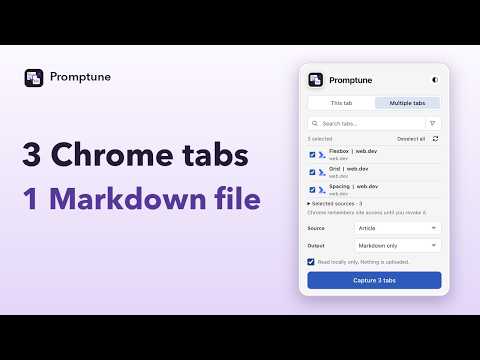
Convert a webpage to Markdown, copy selected text as Markdown, or combine multiple Chrome tabs into one AI prompt. Promptune keeps each source title and URL with its content, so you can compare documentation, save research, or prepare context for AI tools. • Capture an article, the full page, or highlighted text. Use the keyboard shortcut to copy the current article, or right-click a selection to copy it as Markdown. • Find tabs by title, URL, or site. Remove duplicate URLs from your selection and reorder sources before capture. • Choose Markdown only or create an AI prompt with a task and response format for studying, understanding a page, or preparing for a meeting. • Preview the result, copy it to the clipboard, or download a .md file. Capture and conversion run locally. Multi-tab capture requests optional tab access and access to the sites you select. Chrome remembers granted site access until you revoke it. PDFs, Google Docs, Notion, and browser-internal pages are unsupported.
5 out of 52 ratings
Details
- Version1.0.4
- UpdatedNovember 22, 2026
- Size64.63KiB
- LanguagesEnglish (United States)
- DeveloperWebsite
Email
hellonevo13@gmail.com - Non-traderThis developer has not identified itself as a trader. For consumers in the European Union, please note that consumer rights do not apply to contracts between you and this developer.
Privacy

Promptune: Webpage to Markdown has disclosed the following information regarding the collection and usage of your data. More detailed information can be found in the developer's privacy policy.
Promptune: Webpage to Markdown handles the following:
This developer declares that your data is
- Not being sold to third parties, outside of the approved use cases
- Not being used or transferred for purposes that are unrelated to the item's core functionality
- Not being used or transferred to determine creditworthiness or for lending purposes
Support
For help with questions, suggestions, or problems, please open this page on your desktop browser