

PromptLint
3 ratings
)
Overview
Real-time prompt analysis and improvement suggestions
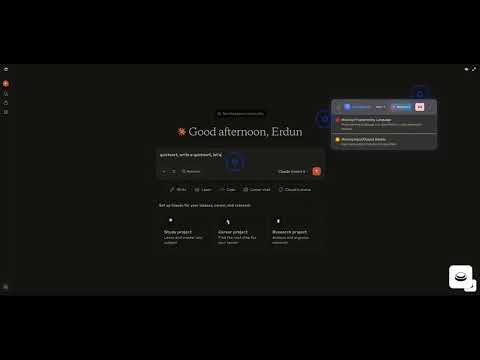
PromptLint is a Chrome extension that analyzes your AI prompts in real-time and provides quality scores with specific improvement suggestions. Key features: - Real-time quality scoring (0-100) as you type - Detects missing programming languages, unclear tasks, and vague wording - AI-powered rephrase suggestions with multiple professional alternatives - Works seamlessly on ChatGPT and Claude websites - Non-intrusive floating panel design - Drag-and-drop repositioning Perfect for developers, researchers, and professionals who want to write more effective AI prompts and get better results from their conversations with AI assistants.
5 out of 53 ratings
Details
- Version0.3.0
- UpdatedSeptember 6, 2025
- Offered byerdundevelop
- Size88.08KiB
- LanguagesEnglish (United States)
- DeveloperErdun E
8217 SW 72nd Ave Apt 706 Miami, FL 33143 USEmail
erdundevelop@gmail.comPhone
+1 978-954-4270 - TraderThis developer has identified itself as a trader per the definition from the European Union and committed to only offer products or services that comply with EU laws.
Privacy

This developer declares that your data is
- Not being sold to third parties, outside of the approved use cases
- Not being used or transferred for purposes that are unrelated to the item's core functionality
- Not being used or transferred to determine creditworthiness or for lending purposes
Support
For help with questions, suggestions, or problems, please open this page on your desktop browser