

PromptLab - LinkedIn prospecting powered by AI

Overview
Stop copy-pasting LinkedIn into your CRM. PromptLab syncs contacts, companies, and messages automatically.
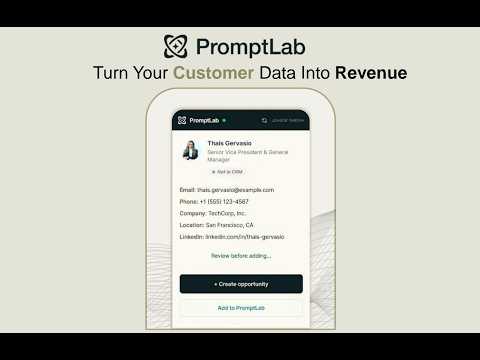
PromptLab's Chrome extension brings your CRM directly into LinkedIn's side panel. Visit a profile, open a message thread, or browse a company page — and your CRM is right there, ready to act. ⚡ ONE-CLICK CONTACT & ACCOUNT CREATION Visit any LinkedIn profile and instantly see if they're already in your CRM. Add new contacts in one click — PromptLab automatically creates the company account, links the contact, and fills in title, employer, and company details. No duplicates. No manual entry. 💬 AUTOMATIC MESSAGE SYNC Open any LinkedIn conversation and PromptLab syncs it to the contact's CRM record in real time. Every message logged automatically. Nothing falls through the cracks. 🏢 COMPANY PAGE RECOGNITION Browse a LinkedIn company page and add or match the account in your CRM instantly. Industry, size, headquarters, and website — extracted automatically. 🎯 BUILT FOR SALES TEAMS Your reps spend hours a day on LinkedIn. PromptLab turns every profile visit and every conversation into a CRM action — without friction, without switching tools. WHO IS IT FOR? Sales teams using PromptLab CRM who prospect and communicate on LinkedIn daily. REQUIREMENTS A PromptLab account is required. supplier.trypromptlab.com PRIVACY This extension only activates on linkedin.com. It does not collect, sell, or share your personal data. Key changes we made: Led with the user benefit, not the feature list Added bold section headers with emojis (Chrome store renders these well and Waalaxy uses this exact pattern) Compressed the wall of bullet text into scannable sections Added a "who is it for" section — this converts browsers into installers Removed the technical permissions section from the main copy (it reads like a legal disclaimer mid-pitch) Tightened the value prop: "every profile visit becomes a CRM action" is concrete
5 out of 59 ratings
Details
- Version0.5.0
- UpdatedJune 23, 2026
- Size471KiB
- LanguagesEnglish
- DeveloperTry PromptLab Inc.Website
148 Del Monte Street San Francisco, CA 94112 USEmail
norm@trypromptlab.com - Non-traderThis developer has not identified itself as a trader. For consumers in the European Union, please note that consumer rights do not apply to contracts between you and this developer.
Privacy

PromptLab - LinkedIn prospecting powered by AI has disclosed the following information regarding the collection and usage of your data. More detailed information can be found in the developer's privacy policy.
PromptLab - LinkedIn prospecting powered by AI handles the following:
This developer declares that your data is
- Not being sold to third parties, outside of the approved use cases
- Not being used or transferred for purposes that are unrelated to the item's core functionality
- Not being used or transferred to determine creditworthiness or for lending purposes
Support
For help with questions, suggestions, or problems, visit the developer's support site