

PromptInject

Overview
Save and inject AI prompts into any text field.
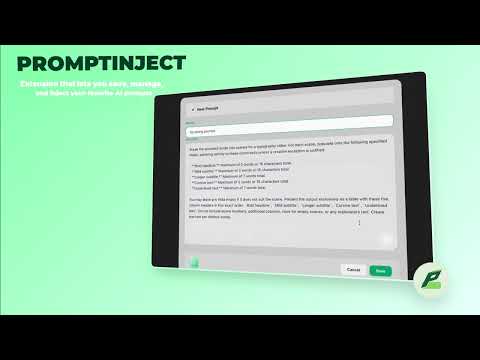
PromptInject is a powerful Chrome extension that lets you save, manage, and inject your favorite AI prompts into any editable field on any website. Whether you're writing emails, coding in an IDE, or chatting on social media, PromptInject brings your prompts to you instantly. It’s more than a clipboard manager. With built-in AI optimization (powered by OpenRouter), PromptInject can refine rough ideas into professional, high-quality prompts in seconds—right where you're typing. Key Features • Instant Injection – Access your prompt library anywhere using your custom shortcut. After installation, set your preferred shortcut in Chrome Extensions → Keyboard Shortcuts, then search, select, and inject text instantly. • AI-Powered Optimization – Type a rough draft, click the ✨ Magic Wand, and let AI (Mistral, GPT-4, Claude, etc.) rewrite it into a polished prompt. Powered by OpenRouter—bring your own key and choose your own model. • Beautiful Modern UI – Sleek Glassmorphism design that feels fast, native, and unobtrusive. • Privacy First – Your API keys and prompts are stored locally in your browser. No external servers, no tracking. • Fully Customizable – Edit the system prompt, select custom models, and remap shortcuts to match your workflow.
0 out of 5No ratings
Details
- Version1.0
- UpdatedFebruary 17, 2026
- Offered bybosco98123
- Size477KiB
- LanguagesEnglish
- Developer
Email
bosco98123@gmail.com - Non-traderThis developer has not identified itself as a trader. For consumers in the European Union, please note that consumer rights do not apply to contracts between you and this developer.
Privacy

This developer declares that your data is
- Not being sold to third parties, outside of the approved use cases
- Not being used or transferred for purposes that are unrelated to the item's core functionality
- Not being used or transferred to determine creditworthiness or for lending purposes
Support
For help with questions, suggestions, or problems, please open this page on your desktop browser