

PromptFlow

Overview
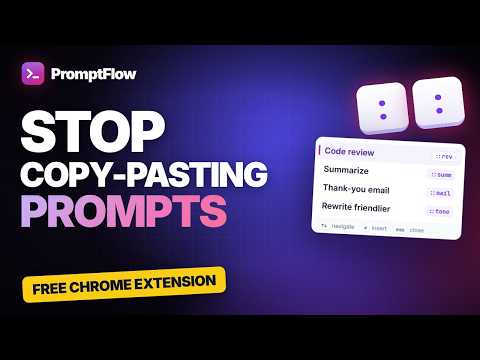
Insert your prompt library into any text box with a shortcut, plus page context.
Stop copy-pasting prompts from notes and docs. PromptFlow keeps your best prompts one shortcut away — in any other text box on the web. HOW IT WORKS Type :: in any text field, start typing a prompt's name, press Enter — done. The shortcut you typed disappears and your full prompt is inserted exactly once, ready to send. PromptFlow never presses Send for you. WHY PROMPTFLOW • One shortcut, every site — works in plain text areas and in the rich editors used by modern AI chats, email and note apps. • Context-aware prompts — add variables and PromptFlow fills them in for you: {selection} — the text you highlighted on the page {page_title} and {page_url} — the page you are on {clipboard} — what you just copied (optional permission, read only when you insert) • Fill-in-the-blank prompts — write {{tone|formal,casual}} or {{audience}} and a small form asks for the values before inserting. Your last answers are remembered. • Send any selection to your AI — highlight text on any page, right-click "Send to AI with PromptFlow", choose your AI chat and a prompt, and it arrives with the selection and its source already in place. • A library you control — tags, search, sort by recently used, and Import/Export as JSON or CSV. • Keyboard first — Ctrl+Shift+Space opens the menu in the focused field; arrow keys and Enter to choose; Esc to close. Prefer "/"? Turn it on in Settings, and disable PromptFlow on any site you like. PRIVATE BY DESIGN Your prompts are stored in your browser, not on our servers. Page text, titles, URLs and clipboard contents are used only on your device to fill in a prompt you choose to insert. PromptFlow does not read pages in the background, track your browsing or sell data. It stays inactive in password, one-time-code and payment fields. FREE • Up to 10 prompts of your own (plus ready-made sample prompts) • The {selection} variable • Import/Export, tags, keyboard shortcut and Send to AI PRO • Unlimited prompts • All context variables ({page_title}, {page_url}, {clipboard}, source title/URL) • Fill-in-the-blank prompts • Sync your library across computers through your browser account If your Pro plan ends, you keep every prompt you created; you just can't add more than 10 until you renew. Questions or feedback? See the privacy policy and contact details at https://promptflow.mochistudio.io.vn/privacy
0 out of 5No ratings
Details
- Version1.0.1
- UpdatedSeptember 28, 2026
- FeaturesOffers in-app purchases
- Offered byMochi Studio
- Size285KiB
- LanguagesEnglish
- Developer
Email
thangnd520@gmail.com - Non-traderThis developer has not identified itself as a trader. For consumers in the European Union, please note that consumer rights do not apply to contracts between you and this developer.
Privacy

PromptFlow has disclosed the following information regarding the collection and usage of your data. More detailed information can be found in the developer's privacy policy.
PromptFlow handles the following:
This developer declares that your data is
- Not being sold to third parties, outside of the approved use cases
- Not being used or transferred for purposes that are unrelated to the item's core functionality
- Not being used or transferred to determine creditworthiness or for lending purposes
Support
For help with questions, suggestions, or problems, please open this page on your desktop browser