

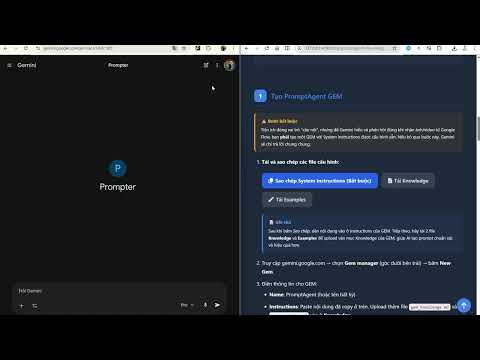
Overview
Orchestrates prompts between Gemini GEM and Google Flow with split-view workspace management.
Version 3.8.2 (Latest) Released: May 28, 2026 Integrated a floating Mini-PromptBook modal directly on Google Gemini UI for quick prompt injection. Redesigned extension settings panel as a neat, isolated overlay modal. Preserved full prompt details in local caching for robust offline capabilities. Seamlessly connect Google Flow and Gemini. Send images and videos to Gemini for instant analysis and AI-powered iterations. ----------------------------------------------- Detailed Description PromptAgent Flow Bridge: The Missing Link Between Google Flow and Gemini. Elevate your generative AI workflow with PromptAgent Flow Bridge. This extension is designed for creators who use Google Flow (Labs) and Gemini side-by-side. Stop downloading and re-uploading files—instantly bridge the gap between generation and analysis with a single click. 🚀 KEY FEATURES One-Click Media Injection: Automatically adds a "Send to Gemini" (✨) button to every image or video generated in Google Flow. Intelligent UI Integration: A responsive, non-intrusive interface that works perfectly in both grid view and asset detail view. Instant Analysis: Send your creations directly to your active Gemini chat for prompt optimization, style analysis, or creative feedback. Project Cost Estimator: A built-in resource calculator to help you estimate server credits and project timelines based on your creative scenes. Robust Stability: Optimized for Single Page Applications (SPA) with a hybrid scanning engine to ensure the "Send" button is always there when you need it. 📖 HOW TO USE Open Google Flow and generate an image or video. Hover over any asset or open it in detail view. Click the ✨ Sparkle icon in the top-right corner. Your media is instantly passed to your active Gemini tab, ready for your next prompt. 🛠 PERFECT FOR Creative Directors iterating on AI-generated storyboards. Prompt Engineers refining complex visual styles. Digital Artists seeking immediate AI-driven feedback on their Google Flow outputs. 🔒 PRIVACY & SECURITY Local Processing: Your media data is handled securely via the Chrome Messaging API and is never stored on external servers. Permissions: We only request access to labs.google/fx and gemini.google.com to enable the bridge functionality. Transform your generative workflow today with PromptAgent Flow Bridge!
0 out of 5No ratings
Details
- Version3.8.2
- UpdatedJune 3, 2026
- Size276KiB
- Languages2 languages
- DeveloperWebsite
Email
contact@manhhuynh.work - Non-traderThis developer has not identified itself as a trader. For consumers in the European Union, please note that consumer rights do not apply to contracts between you and this developer.
Privacy

PromptAgent Flow Bridge has disclosed the following information regarding the collection and usage of your data. More detailed information can be found in the developer's privacy policy.
PromptAgent Flow Bridge handles the following:
This developer declares that your data is
- Not being sold to third parties, outside of the approved use cases
- Not being used or transferred for purposes that are unrelated to the item's core functionality
- Not being used or transferred to determine creditworthiness or for lending purposes
Support
For help with questions, suggestions, or problems, visit the developer's support site