

Prompt Picker – Pick, Draw & AI Visual Optimization
3 ratings
)
Overview
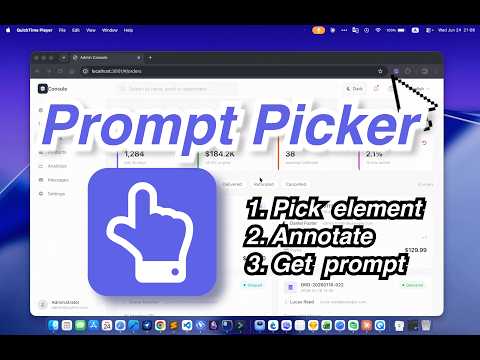
Pick elements. Draw ideas. Optimize visuals with AI. Turn your changes into clear instructions for coding agents.
■ 🎯 Show Your Ideas on the Page. Help AI Find and Make the Changes. Prompt Picker connects your webpage to your AI coding tools. Instead of describing “the button on the left,” select the element, edit its appearance, or draw your idea directly on the page. Copy your changes—with page and element context—into Claude Code, Codex, Cursor, or another AI coding assistant that can access your project. Watch the walkthrough: https://www.youtube.com/watch?v=DC9Sve_ckMM ■ ✏️ Pick & Draw • Select page elements by clicking or dragging to box-select • Edit text, fonts, sizes, colors, and alignment with an immediate preview • Adjust button and container backgrounds, borders, corners, and shadows • Replace images and adjust their size and fit • Add shapes, arrows, text, and images to show what you want to build • Attach written requirements to selected elements and drawings • Copy selections, visual edits, and drawing instructions together No need to explain where every element is. Show AI the target and your intended change. ■ ✨ AI Visual Optimization Not sure what to improve? Let AI suggest changes to the visible area of your page. • Choose Refine to preserve the current style, or Bold Redesign to explore a new direction • Add an optional goal to guide the optimization • Preview suggested changes to typography, spacing, colors, and visual hierarchy • Compare Before and After, then copy the change instructions for your AI coding tool AI Visual Optimization requires your own configured AI service, API key, and model. ■ ⚡ From Preview to Source Code Changes made in the browser are temporary previews. Prompt Picker does not directly edit your project’s source files. Copy the instructions and give them to an AI coding tool with access to your project. If your drawings include local or pasted images, provide the accompanying downloaded file too. • Open the picker: Option+Q on macOS; Alt+Q on Windows and Linux • Copy changes: Cmd+C on macOS; Ctrl+C on Windows and Linux • Reuse saved instructions from optional local history • Collect selected elements across pages ■ 👥 Who It’s For Developers, designers, product builders, and QA teams who use AI coding tools to build and improve web interfaces. ■ 🔒 Privacy Manual picking, editing, drawing, and prompt generation do not send your page content to an external AI service. Instructions are copied to your clipboard for you to share. When you use AI Visual Optimization, page screenshots and relevant page data are sent to your configured AI provider with your consent. API credentials are stored locally by the extension. Optional history is stored in your browser and can be deleted. AI optimization history may include screenshots, prompts, and AI responses. ■ 🔗 Feedback & Issues https://github.com/lanceylai/Prompt-Picker/
5 out of 53 ratings
Details
- Version1.2.2
- UpdatedOctober 26, 2026
- Size399KiB
- Languages5 languages
- Developer
Email
lhlazxyq@gmail.com - Non-traderThis developer has not identified itself as a trader. For consumers in the European Union, please note that consumer rights do not apply to contracts between you and this developer.
Privacy

This developer declares that your data is
- Not being sold to third parties, outside of the approved use cases
- Not being used or transferred for purposes that are unrelated to the item's core functionality
- Not being used or transferred to determine creditworthiness or for lending purposes
Support
For help with questions, suggestions, or problems, visit the developer's support site