

Prompt Navigator

Overview
Navigate and manage prompts for AI chat interfaces
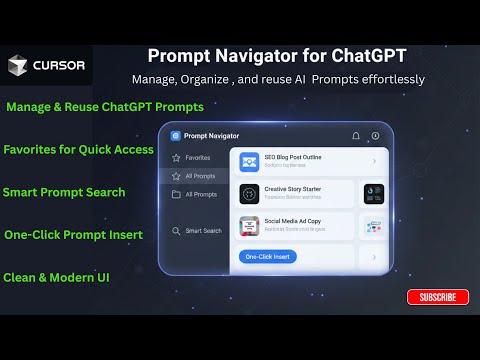
Prompt Navigator helps you manage and reuse prompts while working in ChatGPT. It adds a clean sidebar and popup inside ChatGPT that lets you: • View and navigate your past prompts from the current conversation • Save frequently used prompts for reuse • Insert prompts into the ChatGPT input with one click • Mark important prompts as favorites • Search and organize prompts easily Prompt Navigator reads only the text of user messages in ChatGPT to help users navigate and reuse their own prompts. No data is collected, tracked, or transmitted. All prompts and favorites are stored locally on your device using Chrome storage. The extension does not use analytics, ads, or third-party tracking. Supported platform: • ChatGPT (chat.openai.com, chatgpt.com) Prompt Navigator is designed for developers, analysts, writers, and anyone who frequently works with ChatGPT.
0 out of 5No ratings
Details
- Version1.2.0
- UpdatedJune 9, 2026
- Offered byDivyanshu Gupta
- Size44.61KiB
- LanguagesEnglish
- Developer
Email
guptadivyanshu765@gmail.com - Non-traderThis developer has not identified itself as a trader. For consumers in the European Union, please note that consumer rights do not apply to contracts between you and this developer.
Privacy

This developer declares that your data is
- Not being sold to third parties, outside of the approved use cases
- Not being used or transferred for purposes that are unrelated to the item's core functionality
- Not being used or transferred to determine creditworthiness or for lending purposes