

Prompt Keeper - AI Prompt Manager

Overview
Store and manage AI prompts professionally
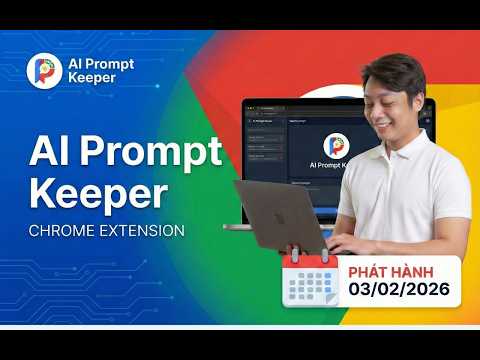
PROMPT KEEPER: THE ULTIMATE AI PROMPT MANAGER FOR CHATGPT, GEMINI, COPILOT, GROK & DEEPSEEK Are you tired of losing your highest-performing AI prompts in endless, cluttered chat histories? Do you waste valuable time manually copying and pasting prompt templates from scattered Google Docs, Notion pages, Excel spreadsheets, or sticky notes? Prompt Keeper is a professional, privacy-first Chrome extension designed to solve this exact problem. Built for content creators, software developers, digital marketers, and AI artists, this tool empowers you to store, organize, and seamlessly auto-fill your customized AI prompts directly within your browser. Stop managing text files and start building your own centralized, highly efficient prompt library. WHO IS PROMPT KEEPER FOR? Software Developers: Save complex code generation, debugging, and refactoring prompts. Never type out the same system instructions twice. Digital Marketers & SEO Experts: Keep your proven copywriting frameworks, SEO article structures, and social media content strategies one click away. AI Artists & Designers: Perfectly organize your Midjourney, DALL-E, and Stable Diffusion parameters, aspect ratios, and style keywords. Students & Researchers: Store structured prompts for summarizing PDFs, formatting citations, or generating study guides. CORE FEATURES & CAPABILITIES: QUICK SAVE VIA RIGHT-CLICK (CONTEXT MENU) Frictionless saving is here. When you find a highly effective prompt on a blog, forum, or social media post, you no longer need to open the extension to save it. Simply highlight the valuable text, right-click, and select "Save to Prompt Keeper." The text is instantly added to your library without breaking your workflow or focus. SMART AUTO-FILL & 1-CLICK COPY Prompt Keeper is engineered to be fully compatible with today's leading AI platforms, including ChatGPT, Google Gemini, Microsoft Copilot, Grok, and DeepSeek. With a single click on our dedicated "Lightning" button, your selected prompt is automatically injected directly into the active chat input box. Prefer to copy? Use the 1-click copy feature to instantly send the text to your clipboard. ADVANCED SEARCH BY ID & SMART CATEGORIES As your prompt library grows, finding the right text becomes critical. Prompt Keeper features a lightning-fast search engine. You can filter prompts using our Notion-style category dropdown (e.g., Work, Personal, Coding) or use our unique "Search by ID" system. Every prompt is assigned a unique ID number (e.g., 1001), making it incredibly easy to reference, track, and share exact AI generation formulas with your team or community. MODERN, DISTRACTION-FREE INTERFACE (MATERIAL DESIGN 3) We believe productivity tools should look as good as they perform. Experience a clean, structured, and highly intuitive user interface built on Google's Material Design 3 (MD3) system. Enjoy dynamic visual hierarchies, responsive spacing, and a clutter-free workspace that minimizes distractions and maximizes your focus. 100% OFFLINE & ABSOLUTE PRIVACY Security and privacy are at the core of Prompt Keeper. The extension operates entirely offline using your browser's Local Storage API. We DO NOT require an account, we DO NOT track your usage, and we DO NOT collect, harvest, or store your prompts on external databases or third-party servers. Your data belongs exclusively to you and never leaves your local machine. BACKUP, RESTORE & SYNC (JSON) Take full control of your data. Prompt Keeper allows you to easily export your entire prompt collection as a structured JSON file. You can use this feature to back up your valuable templates locally or import them into Prompt Keeper on a different computer, ensuring you always have access to your workflow, no matter what device you are using. MULTI-LANGUAGE SUPPORT & CUSTOMIZATION Built for a global community, Prompt Keeper allows you to work comfortably with native support for 12 different languages. You can further tailor the extension to your specific habits through the Settings menu: toggle "One-click copy" for faster actions, enable "Auto-close" to hide the window after selection, or toggle the visibility of default prompts to keep your workspace truly personal.
5.0 out of 548 ratings
Details
- Version3.6.1
- UpdatedMay 22, 2026
- Size120KiB
- LanguagesEnglish
- DeveloperPhạm familyWebsite
109 Nguyễn Biểu Phường 1 Quận 5, Thành phố Hồ Chí Minh 749000 VNEmail
hainam.pham91@gmail.com - Non-traderThis developer has not identified itself as a trader. For consumers in the European Union, please note that consumer rights do not apply to contracts between you and this developer.
Privacy

This developer declares that your data is
- Not being sold to third parties, outside of the approved use cases
- Not being used or transferred for purposes that are unrelated to the item's core functionality
- Not being used or transferred to determine creditworthiness or for lending purposes
Support
For help with questions, suggestions, or problems, visit the developer's support site