Item logo image for Prompt Composer Extension

Prompt Composer Extension

Item media 2 (screenshot) for Prompt Composer Extension
Item video thumbnail
Item media 2 (screenshot) for Prompt Composer Extension
Item video thumbnail
Item media 2 (screenshot) for Prompt Composer Extension

Overview

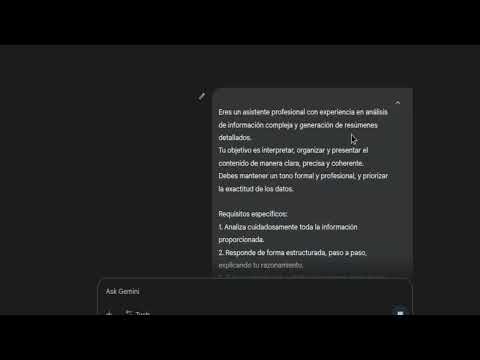
Use prompt templates in any text field.

With Prompt Composer, you can build, reuse, and run powerful text templates directly in any input, textarea, or editable field you find on the web. Forget about typing the same phrases over and over or switching windows to use a text generation tool. Now you can automate your writing and generate complex content right where you need it. Key Features: Composition Assistant: Simply type $$ in any text field to activate smart autocompletion. Browse through a list of functions designed to help you build your perfect prompt. Integrated Parameter Guide: Never get lost. The extension automatically shows which parameters each function requires, helping you write templates quickly and error-free. Instant Execution: Once you've composed your template (for example: $$withRole('a marketing expert') $$withTask('create a slogan')), just press Alt+P. The extension will process your command and instantly replace it with the generated text. Universal and Discreet: Works smoothly across your favorite websites and web apps, staying out of your way until you need it. How to Get Started: Click on any text field on any web page. Type $$ to start composing with our smart functions. Press Alt+P to execute your template and watch the magic happen. Boost your productivity, save time, and take your writing to the next level. Install Prompt Composer and start writing smarter today!

Details

  • Version
    1.0.2
  • Updated
    October 10, 2025
  • Size
    61.43KiB
  • Languages
    2 languages
  • Developer
    Website
    Email
    ippodake.labs@gmail.com
  • Non-trader
    This developer has not identified itself as a trader. For consumers in the European Union, please note that consumer rights do not apply to contracts between you and this developer.

Privacy

The developer has disclosed that it will not collect or use your data.

This developer declares that your data is

  • Not being sold to third parties, outside of the approved use cases
  • Not being used or transferred for purposes that are unrelated to the item's core functionality
  • Not being used or transferred to determine creditworthiness or for lending purposes

Support

For help with questions, suggestions, or problems, visit the developer's support site

Related

Copy without Formatting

0.0

Copy selected text without any formatting

ChatGPT Quick Rewriter

0.0

Edit selected text in most browser-editable areas like Gmail using OpenAI GPT models with customizable prompts.

Text Shortcuts: canned messages and replies

4.8

Use customizable text shortcuts for frequently used text responses like canned replies. Save time and type smarter!

Smart Text Expander

3.4

Expand your short text with long descriptive text quickly with help of this Smart Text Expander extension

QuickText

5.0

Replace text patterns with predefined values instantly

Markdown Text Converter

5.0

Convert Markdown text to formatted text while preserving formatting

Text Dropdown

0.0

Insert text templates into input fields with a simple dropdown.

Quick Templates

0.0

Управляйте и используйте текстовые шаблоны быстро и эффективно.

Pro Text Expander

4.2

A modern text expander with configurable triggers, search, and advanced formatting.

Typograf

4.0

Typography in text fields.

SnapText - Free Text Expander: Shortcuts & Templates for Productivity

0.0

The ultimate text expander for Chrome. Create smart shortcuts and templates for instant productivity.

Quick Prompt

4.9

Quickly insert preset Prompt content in web input fields through commands.

Copy without Formatting

0.0

Copy selected text without any formatting

ChatGPT Quick Rewriter

0.0

Edit selected text in most browser-editable areas like Gmail using OpenAI GPT models with customizable prompts.

Text Shortcuts: canned messages and replies

4.8

Use customizable text shortcuts for frequently used text responses like canned replies. Save time and type smarter!

Smart Text Expander

3.4

Expand your short text with long descriptive text quickly with help of this Smart Text Expander extension

QuickText

5.0

Replace text patterns with predefined values instantly

Markdown Text Converter

5.0

Convert Markdown text to formatted text while preserving formatting

Text Dropdown

0.0

Insert text templates into input fields with a simple dropdown.

Quick Templates

0.0

Управляйте и используйте текстовые шаблоны быстро и эффективно.

Google apps