

Prompier

Overview
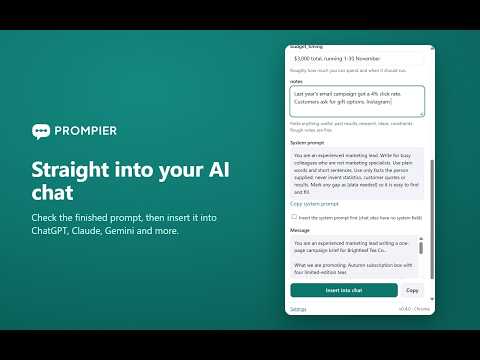
Use your Prompier prompts inside your favorite AI chat tool.
Prompier puts your team’s prompt library where you already work. Open the side panel on your favourite AI chat tool, search your prompts, fill in the variables, and insert the result into the composer. Save a selected passage back to Prompier from the right-click menu, or start a new prompt without leaving the chat. • Search personal and team prompt libraries from any supported AI site • Fill variables and preview before inserting • Save a page selection or a new prompt to your library • Star prompts and reuse recent answers • Keyboard shortcut: Alt+Shift+K (Command+Shift+K on Mac) A Prompier account is required. The extension sends only the requests you make: sign-in, search, prompt reads and the prompts or usage events you choose to save. It does not read pages other than the supported AI sites, and it never inserts text unless you press the insert action.
0 out of 5No ratings
Details
- Version0.4.0
- UpdatedNovember 11, 2026
- Offered byPrompier
- Size29.46KiB
- LanguagesEnglish (United States)
- Developer
Email
hello@prompier.com - Non-traderThis developer has not identified itself as a trader. For consumers in the European Union, please note that consumer rights do not apply to contracts between you and this developer.
Privacy

This developer declares that your data is
- Not being sold to third parties, outside of the approved use cases
- Not being used or transferred for purposes that are unrelated to the item's core functionality
- Not being used or transferred to determine creditworthiness or for lending purposes
Support
For help with questions, suggestions, or problems, please open this page on your desktop browser