

Prolific Auto-reject & Screen-out Prevention Tool
4 ratings
)
Overview
Gives you manual control over your study submissions & prevents auto-rejections and speed warnings on Prolific.
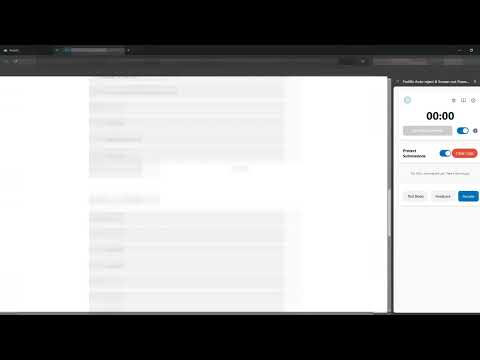
v1.10 — Bug Fixes & Updates - (Fixed) Issue with the auto-start timer where it would not auto start when enabled. - (Fixed) Referrer log would always show "Unknown Redirect". v1.9 — Stealth Update 👻 Enhanced Stealth Mode The extension now operates seamlessly in the background; study platforms and other sites can no longer detect that you have this tool installed. other updates: - (Fixed) A sound/notification plays when the timer ends — can be disabled in settings. - minor improvements /* End update note */ This extension is an essential companion tool for Prolific participants. Designed to safeguard your Prolific submissions and ultimately help minimize the risk of account suspensions, this tool helps you avoid auto-rejections, speed warnings, and automatic screen-out submissions which lead to the afore mentioned. Key Features - Estimated Completion Timer The tool reads the estimated completion time directly from the Prolific study page and sets up a countdown. It helps you pace your submission so you never submit a study too quickly. - Smart Auto-Start & Auto-Stop When enabled, the timer automatically starts when you click "Start study" and stops when you navigate back to your Prolific studies dashboard. - Submission Control Stops researchers from automatically submitting completion codes back to Prolific if you get screened out or if you complete a task "exceptionally fast". - Submission Log & Completion Codes If a study tries to submit a code automatically, the extension catches the automatic submission and saves the completion code in your logs. Once the timer reaches a safe duration, you can copy the code from the log and submit it manually. - Side Panel Integration Keep the timer visible alongside your study window. Configure the extension to open in Chrome's side panel (default) for a clean, non-obtrusive workspace. Why Do You Need This Extension? Avoid "Speeding" Rejections: Submitting studies faster than the minimum threshold set by researchers can lead to automated rejections and speed warnings. The built-in countdown keeps you aware of elapsed time. Manage Screen-outs: Some studies screen you out but attempt to submit a completion code anyway, which can flag your account for submitting the study exceptionally fast. This tool stops these automatic redirects. Manual Control: You decide exactly when a study is marked as complete.
5 out of 54 ratings
Details
- Version1.11
- UpdatedSeptember 6, 2026
- Offered byznxos
- Size151KiB
- LanguagesEnglish
- Developer
Email
saved-almost-party@duck.com - Non-traderThis developer has not identified itself as a trader. For consumers in the European Union, please note that consumer rights do not apply to contracts between you and this developer.
Privacy

This developer declares that your data is
- Not being sold to third parties, outside of the approved use cases
- Not being used or transferred for purposes that are unrelated to the item's core functionality
- Not being used or transferred to determine creditworthiness or for lending purposes