

Profitario - AliExpress Invoice Generator & Reports

סקירה כללית
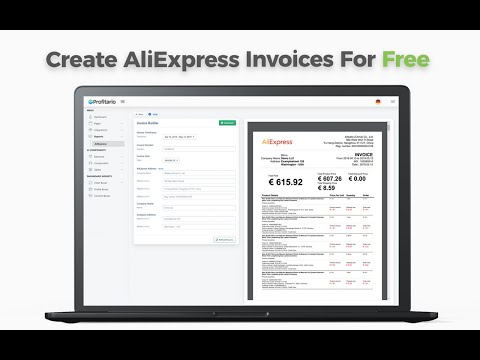
Create an AliExpress invoice and analyse your expenses with powerful reports.
Watch the How-To Video here: https://youtu.be/3cOBjiDxwoQ With this extension, you can easily upload your orders to Profitario.com, where you can create AliExpress invoices and analyze your sales data to gain valuable insights into your business performance. Profitario offers many more features for Dropshippers here is a list of the most important ones: - Automatically convert the currency of your orders - Create reports to monitor the status of your purchases - Automatic profit calculations for every order on shopify After installing the extension: 1. Sign up on profitario.com 2. Go to the Integrations -> Extensions and then click on „Upload Orders“. - You might need to authenticate your Extension. 3. Click Start Export to start your first export. This will first save your order information and then send the data encrypted to our server. 4. Go back to app.profitario.com and navigate to Reports -> AliExpress -> Invoices to download you Invoices.
3.8 מתוך 519 דירוגים
פרטים
- גרסה0.5.0.6
- עדכון אחרון22 באפריל 2025
- גודל290KiB
- שפותEnglish
- מפתח
- עסקהמפַתח הזה ציין שהעסק שלו מוגדר לפי התקנות באיחוד האירופי, והתחייב להציע רק מוצרים או שירותים שעומדים בדרישות של חוקי האיחוד האירופי.
- D-U-N-S300572528
פרטיות

הפרטים הבאים נמסרו על ידי Profitario - AliExpress Invoice Generator & Reports בנוגע לאיסוף הנתונים שלך ולשימוש בהם. מידע מפורט זמין בprivacy policy של המפתח.
Profitario - AliExpress Invoice Generator & Reports מטפל בדברים הבאים:
המפַתח הזה מצהיר כי הנתונים שלך:
- לא יימכרו לצדדים שלישיים, למעט בתרחישים שאושרו
- לא משמשים או מועברים למטרות שאינן קשורות לפונקציונליות המרכזית של הפריט
- לא משמשים או מועברים לצורך קביעת מצב אשראי או לצורכי הלוואה
תמיכה
כדי לקבל עזרה לגבי שאלות, הצעות או בעיות, אפשר לפתוח את הדף הזה בדפדפן במחשב