

product snap

Overview
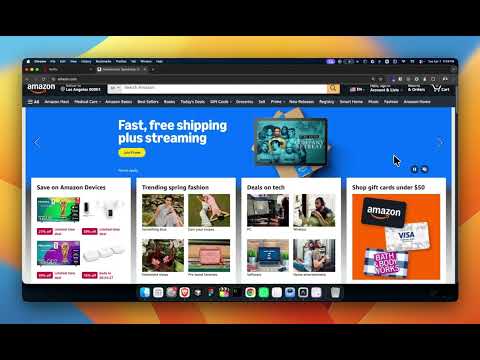
Full screen page view with lazy reload. Chrome fullscreen extension for distraction-free browsing.
product snap – Fullscreen and lazy reload for your browser What it does, Product snap lets you view any page in fullscreen and reload it in a clean frame with a short delay. Useful for: 🟢 Product reviews & demos – Fullscreen without browser chrome 🟢 Distraction-free browsing – Focus on the content 🟢 Lazy reload – Reload content in a frame with a 4‑second delay How to use > Right‑click on any page → choose @full_screen or @lazy frameloads > Or pin the extension and control it from the toolbar Features @full_screen – Enter fullscreen instantly @lazy frameloads – Load or reload the page in a fullscreen frame with a short delay Lightweight, no extra setup, and works on any page.
0 out of 5No ratings
Details
- Version1.0
- UpdatedApril 7, 2026
- Offered byjorjis
- Size13.64KiB
- LanguagesEnglish (United States)
- Developer
Email
dev.jorjis@gmail.com - Non-traderThis developer has not identified itself as a trader. For consumers in the European Union, please note that consumer rights do not apply to contracts between you and this developer.
Privacy

This developer declares that your data is
- Not being sold to third parties, outside of the approved use cases
- Not being used or transferred for purposes that are unrelated to the item's core functionality
- Not being used or transferred to determine creditworthiness or for lending purposes
Support
For help with questions, suggestions, or problems, please open this page on your desktop browser