

PrivacyFill - Temp Identity Generator

Overview
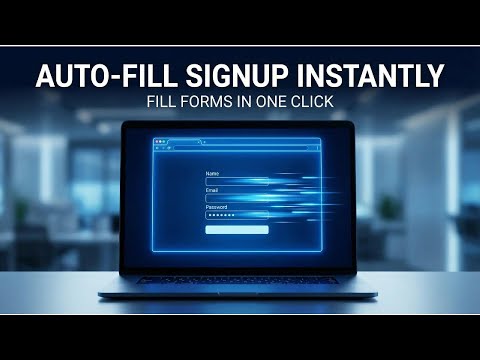
Generate temporary identities and auto-fill signup forms. Real temp emails, fake names, and passwords in 1 click!
PrivacyFill protects your real email from spam and unwanted newsletters. Generate complete temporary identities with real disposable email addresses that actually receive messages. WHAT IT DOES When websites demand your email just to read an article or access content, PrivacyFill creates a temporary identity in seconds. Use it to sign up, receive verification codes, and move on — all without exposing your real inbox. KEY FEATURES Real Temporary Emails Unlike fake email generators, PrivacyFill creates actual working email addresses. You can receive verification codes, confirmation links, and any emails sent to your temporary address. Built-in Inbox Check incoming emails directly in the extension. No need to visit external websites. Verification codes are automatically detected and highlighted for easy copying. Complete Identity Generation Each identity includes a realistic name, username, email address, and secure password. Everything you need to complete any signup form. One-Click Auto-Fill Click a single button to automatically fill signup forms on any website. The extension detects email, name, username, and password fields intelligently. HOW TO USE 1. Click the PrivacyFill icon in your browser toolbar 2. Click "Generate New Identity" to create a new temporary identity 3. Visit any website with a signup form 4. Click "Auto-Fill" to populate the form automatically 5. If the site sends a verification email, click "Inbox" to retrieve the code FREE VERSION The free version includes 10 identity generations per month with full access to real temporary emails, inbox functionality, and auto-fill features. PREMIUM VERSION Upgrade once for lifetime access to unlimited generations, auto-generated bio text, and priority support. No subscriptions, no recurring fees. PRIVACY FOCUSED PrivacyFill operates entirely in your browser. We do not collect, store, or transmit your personal data. Your generated identities are stored locally on your device and never sent to our servers. PERFECT FOR - Accessing content behind email walls - Signing up for free trials - Avoiding marketing newsletters - Testing web applications - Maintaining online privacy Built for privacy-conscious users who value their inbox.
0 out of 5No ratings
Details
- Version1.0.0
- UpdatedFebruary 12, 2026
- Offered byAyoub Ouachra
- Size103KiB
- LanguagesEnglish
- Developer
Email
ayoubiss.10@gmail.com - Non-traderThis developer has not identified itself as a trader. For consumers in the European Union, please note that consumer rights do not apply to contracts between you and this developer.
Privacy

This developer declares that your data is
- Not being sold to third parties, outside of the approved use cases
- Not being used or transferred for purposes that are unrelated to the item's core functionality
- Not being used or transferred to determine creditworthiness or for lending purposes