


總覽
保護您的 WhatsApp Web 隱私,鎖定螢幕,並透過模糊效果隱藏訊息、圖片、大頭貼等內容。
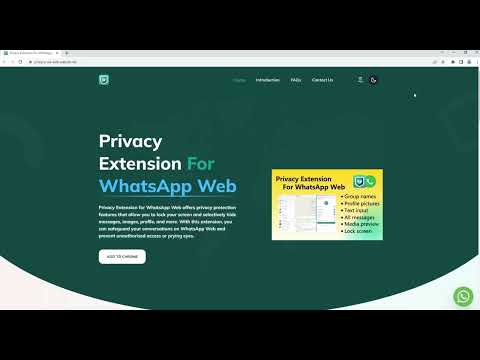
Privacy Extension for WhatsApp Web offers privacy protection features that allow you to lock your screen and selectively hide messages, images, profile, and more. With this extension, you can safeguard your conversations on WA Web and prevent unauthorized access or prying eyes. # Feature ✅ Screen lock: The Lock Screen feature requires a password to access WhatsApp Web, ensuring that your messages and conversations remain private even when you're away from your computer. You can also set a time limit for automatic lock screen activation. ✅ Message hiding: The Hidden Chat Messages feature allows you to blur out certain content, which can only be revealed by hovering over it with your mouse. This feature includes six independent toggles: Users/Group Names, Profile Pictures, Last Message Preview, All Messages in Chat, Media Preview, and Text Input. ✅ Convenience: Use keyboard shortcuts to quickly turn on/off screen lock and message hiding features, making it easy to use. The Lock Screen shortcut key is Alt+X, and the overall toggle for Hidden Chat Messages is Alt+Z. You can customize these shortcuts in chrome://extensions/shortcuts. # Home Page https://privacy-wa-web.wabulk.net/ We're here to help! For any questions or feedback, contact us at info@wabulk.net.
4.7 分 (滿分 5 分)1.1萬 個評分
詳細資料
隱私權

「WhatsApp Web 隱私擴充功能 - wabulk.net」已揭露下列關於收集及使用資料的資訊。 如需更多詳細資訊,請參閱開發人員的《privacy policy》。
WhatsApp Web 隱私擴充功能 - wabulk.net 會處理下列資料:
這位開發者就你的資料做出下列聲明:
- 除經核准的用途外,不會將你的資料販售給第三方
- 不會基於與商品核心功能無關的目的,使用或轉移資料
- 不會為了確認信用度或基於貸款目的,使用或轉移資料
支援
如有疑問或建議,請前往開發人員的支援網站