

Blur & Lock: Privacy Extension for WhatsApp Web

Overview
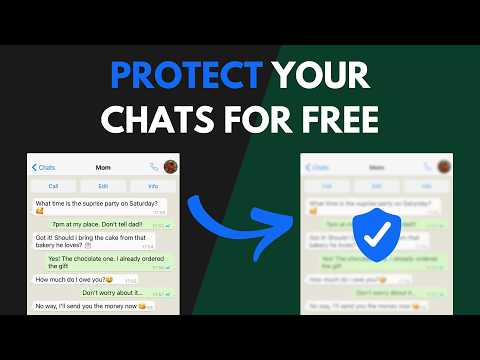
Blur WhatsApp messages, media, names and previews. Protect your chats: auto-blur when idle, lock with a PIN, reveal on hover.
Boss walking by? Coworker eyeing your screen? Someone behind you at the café? Blur your WhatsApp Web chats and keep messages, photos, names and previews safe from prying eyes. Built to protect WhatsApp Web on any shared screen: your chats stay hidden and blurred until you want them back. 🧠 AUTO-BLURS WHEN YOU STEP AWAY Stopped scrolling? Everything blurs on its own. You pick the timer: 15s, 30s, 45s, 1 min or 5 min. Move your mouse to reveal. 🔒 LOCK IT WITH A PIN Want more than blur? Turn on the optional 4-digit PIN and password protect WhatsApp Web with a passcode only you know. Once the screen is locked, only your PIN reveals it again. 🎛️ YOU CHOOSE WHAT TO HIDE ✅ Messages and previews ✅ Photos, videos and stickers ✅ Profile pictures and contact names ✅ The typing field 💼 BUILT FOR SHARED SPACES • Home office and remote work • Open offices and coworking • Cafés and public places • Shared or family computers ⌨️ FAST AND IN YOUR CONTROL • Hover to reveal instantly • Shortcut: Alt+X (Windows) / Ctrl+X (Mac) • Lightweight, won't slow WhatsApp Web down ☁️ YOUR SETTINGS FOLLOW YOU Sign in to Chrome and your preferences sync across your devices. 💬 REAL SUPPORT Direct help via WhatsApp. 🔐 REAL PRIVACY Zero data collected. Everything runs in your browser. Nothing leaves your computer: your chats stay private on your own machine. --- Support: hotzapp.com/support WhatsApp is a trademark of Meta Platforms, Inc. This extension is not affiliated with, endorsed by, or sponsored by Meta.
4.9 out of 591 ratings
Details
- Version1.27.0
- UpdatedSeptember 4, 2026
- Size69.96KiB
- Languages11 languages
- Developer
- Non-traderThis developer has not identified itself as a trader. For consumers in the European Union, please note that consumer rights do not apply to contracts between you and this developer.
Privacy

This developer declares that your data is
- Not being sold to third parties, outside of the approved use cases
- Not being used or transferred for purposes that are unrelated to the item's core functionality
- Not being used or transferred to determine creditworthiness or for lending purposes
Support
For help with questions, suggestions, or problems, visit the developer's support site