

PrintPrune: Click-to-Remove Before Printing
1 rating
)
Overview
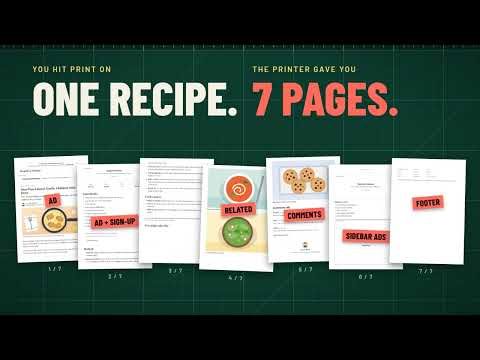
Click any ad, sidebar, image or blank block to delete it from the page, then print or save a clean PDF, all locally and free.
Print only what you want. PrintPrune lets you click away ads, sidebars, cookie banners, comment sections, images and empty gaps before you print a web page or save it as a PDF. The page is cleaned up inside your own browser, and every feature is free. WHY YOU'LL LIKE IT - Less paper and ink: print just the article, recipe, receipt or lesson you need. - Nothing to learn: point at something and it lights up; click and it's gone. - Mistakes are harmless: undo and redo every step, or reset the whole page. - No surprises on paper: see what a site adds, drops or recolors when it prints, and switch that off if you prefer the screen version. - Private by design: no uploads, no account, no ads, no tracking. HOW IT WORKS 1. Open the page you want to print and click the PrintPrune icon, then "Start cleaning this page". 2. Point at anything you don't want and click to remove it. Press the up arrow to grab a bigger block. 3. Press Print in the toolbar, then print or choose "Save as PDF" in Chrome's print dialog. FEATURES - Click-to-remove with a clear hover highlight and a label showing what will go - Undo and redo (Ctrl+Z / Ctrl+Y) and a two-click reset of the whole page - Keep only: click the one part you want, or select text first, and everything else disappears - Hide all images with one button for text-only printouts - Make the text bigger or smaller (50% to 200%) before printing - Print view: shows the page the way the site prints it, so headers, notices and other parts that only appear on paper become visible and can be clicked away - Match screen: ignores the site's own print styles, so the printout keeps the layout and text colors you see on screen instead of turning gray or black - Tells you when a page will look different on paper (extra parts, dropped parts, changed text colors) - Removes embedded frames and sticky banners as whole blocks - Toolbar moves to the top or bottom so it never covers what you're cleaning - Optional keyboard shortcut to start the editor (Alt+Shift+P is suggested; you can change it in Chrome's extension shortcuts) - Options for toolbar position, on-page tips, hiding images by default, the print look to start with and closing the editor after printing - A built-in sample page for practising GOOD TO KNOW - Changes are temporary. Reload the page and it is back to normal. - PrintPrune only touches a page after you start it there. It does not ask for access to your browsing history or to all websites. - Chrome doesn't allow extensions on its own pages, the Chrome Web Store or the built-in PDF viewer, so PrintPrune can't edit those. - Print view and Match screen work from the site's stylesheets. A few sites keep theirs locked or change the page with scripts while printing; PrintPrune tells you when a printout may still differ. Background colors print only if you tick "Background graphics" in Chrome's print dialog. No tiers, no sign-up, no data collection.
5 out of 51 rating
Details
- Version1.0.2
- UpdatedOctober 18, 2026
- Offered bySuperExtensions
- Size62.78KiB
- LanguagesEnglish
- Developer
Email
mohelm97@gmail.com - Non-traderThis developer has not identified itself as a trader. For consumers in the European Union, please note that consumer rights do not apply to contracts between you and this developer.
Privacy

This developer declares that your data is
- Not being sold to third parties, outside of the approved use cases
- Not being used or transferred for purposes that are unrelated to the item's core functionality
- Not being used or transferred to determine creditworthiness or for lending purposes