


概述
跨页面、跨标签页收集截图与原图,保存来源并统一送入 A4 / Letter 网站编辑器。
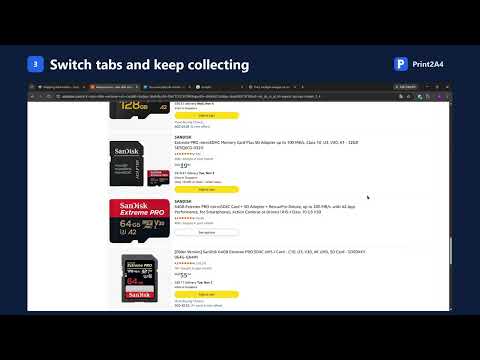
Collect screenshots and original images from any number of pages, then lay them out and print them on A4 or US Letter paper. Built for collecting material from the web — recipes, receipts, slides, articles, product photos — and turning it into clean printed pages or a PDF. HOW IT WORKS 1. Click the extension icon (or press Ctrl+Shift+Y) and drag a box around anything on the page. Release, and it's saved. 2. Keep going: scroll, switch tabs, open other sites. Everything goes into one collection basket shared by all pages. 3. Click "Send to web editor". Your images open in print2a4.com (A4) or print2letter.com (Letter), where you can crop, arrange, print, or export a PDF. FEATURES • Region capture — select exactly the part you need, including canvas, video frames, and text with images. • Pick originals — click images on the page to collect the full-resolution original instead of a screenshot. • Cross-page collection basket — up to 200 images, kept after page reloads and browser restarts. Reorder, remove, undo, or preview them on the basket page. • Captured-area marks — a light tint shows what you have already captured, so you don't miss or repeat anything. Marks never appear in the extension's own captures. • Right-click menu — capture the visible area or the full page, then save as PNG, lay out on A4 / Letter, or add to the basket. • Image conversion — right-click any image to convert it to JPG or PNG on the website (WebP, AVIF, JFIF and other formats the browser can decode). • Each image keeps its source page title, link, and capture time, so you can find where it came from later. PRIVACY • Images are stored only in your browser. They are handed directly to the editor tab on your computer and are not uploaded to any server. • At install, the extension only accesses the current page when you click its icon or menu. Broader access is optional and asked for only when you use a feature that needs it: – "All websites": read original images hosted on other sites, and restore capture marks after a page reload. You can grant or revoke it at any time on the basket page. • No accounts, no tracking, no analytics. LIMITS Chrome's internal pages and the Chrome Web Store can't be captured. Full-page capture doesn't include content that hasn't loaded yet (for example, infinite scroll). Some sites block reading their original images; use region capture instead.
0 星(5 星制)无评分
详情
隐私权

该开发者已声明,您的数据:
- 不会因未获批准的用途出售给第三方
- 不会为实现与产品核心功能无关的目的而使用或转移
- 不会为确定信用度或放贷目的而使用或转移
支持
若有任何疑问、建议或问题,请访问开发者的支持网站