Item logo image for Print Notion - Export Notion to PDF

Print Notion - Export Notion to PDF

printnotion.com
Featured
4.8(

221 ratings

)
Item media 4 (screenshot) for Print Notion - Export Notion to PDF
Item media 5 (screenshot) for Print Notion - Export Notion to PDF
Item video thumbnail
Item media 2 (screenshot) for Print Notion - Export Notion to PDF
Item media 3 (screenshot) for Print Notion - Export Notion to PDF
Item media 4 (screenshot) for Print Notion - Export Notion to PDF
Item media 5 (screenshot) for Print Notion - Export Notion to PDF
Item video thumbnail
Item media 2 (screenshot) for Print Notion - Export Notion to PDF
Item video thumbnail
Item media 2 (screenshot) for Print Notion - Export Notion to PDF
Item media 3 (screenshot) for Print Notion - Export Notion to PDF
Item media 4 (screenshot) for Print Notion - Export Notion to PDF
Item media 5 (screenshot) for Print Notion - Export Notion to PDF

Overview

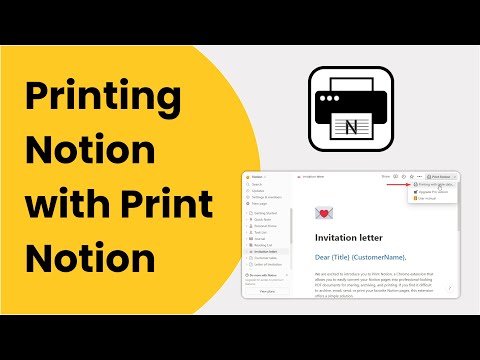
Export Notion to PDF in one click. Keep layouts, tables & dark mode. Batch-generate invoices & docs from databases with mail merge.

Print Notion is a powerful Chrome Extension that brings advanced printing capabilities to Notion, including mail merge-style batch printing. With Print Notion, you can instantly print Notion pages as they appear — preserving the original layout across different paper sizes, or exporting them as polished, professional PDFs. What sets Print Notion apart is its custom template printing with mail merge functionality. Link templates to Notion databases and automatically pull data from multiple records to generate and print personalized documents — like orders, invoices, and invitations — all in one go. This smart automation boosts productivity by 10x or more.

Details

  • Version
    4.1.2
  • Updated
    June 13, 2026
  • Size
    576KiB
  • Languages
    55 languages
  • Developer
    Website
    Email
    support@notiontopdf.site
  • Non-trader
    This developer has not identified itself as a trader. For consumers in the European Union, please note that consumer rights do not apply to contracts between you and this developer.

Privacy

Manage extensions and learn how they're being used in your organization

Print Notion - Export Notion to PDF has disclosed the following information regarding the collection and usage of your data. More detailed information can be found in the developer's privacy policy.

Print Notion - Export Notion to PDF handles the following:

Personally identifiable information

This developer declares that your data is

  • Not being sold to third parties, outside of the approved use cases
  • Not being used or transferred for purposes that are unrelated to the item's core functionality
  • Not being used or transferred to determine creditworthiness or for lending purposes

Support

Related

Notion Syntax Highlighter

5.0

Improves Notion's code blocks syntax highlighting + adds tons of theme options

Bookmarks to Notion

4.6

Sync Browser Bookmarks with Notion Database. Centralize your bookmarks.

Save to Notion

4.3

Save the Web to Notion

Notion Tools

5.0

Make your Notion experience a little bit better with some QOL including colored headings, folded sidebar buttons and more.

Notion to PDF

3.4

Export Notion documents to PDF files

Presentation Mode for Notion

4.4

Turn Notion pages into presentable slides. Slide, draw and edit live without leaving your workspace.

Notion Table of Contents (Outline)

4.8

Show table of contents (outline) in the sidebar for Notion pages

Notion Search

4.4

Search Notion pages on the popup

Copy To Notion: Clip anything to Notion

4.7

Easily capture, organize, and access all your online clips directly in Notion.

Notion Style Tweaks

4.5

Tweaks for Notion

Notion Exporter - Image | Cards | PDF | Slide

4.5

Export Notion page into various formats such as image, cards, PDF, Slide and so on, while preserving Notion's layout and style.

Notion Power

4.7

Numerous customization features, enhancing UX/UI for Notion page. Fixed TOC, change theme and font, scroll-to-top button, more...

Notion Syntax Highlighter

5.0

Improves Notion's code blocks syntax highlighting + adds tons of theme options

Bookmarks to Notion

4.6

Sync Browser Bookmarks with Notion Database. Centralize your bookmarks.

Save to Notion

4.3

Save the Web to Notion

Notion Tools

5.0

Make your Notion experience a little bit better with some QOL including colored headings, folded sidebar buttons and more.

Notion to PDF

3.4

Export Notion documents to PDF files

Presentation Mode for Notion

4.4

Turn Notion pages into presentable slides. Slide, draw and edit live without leaving your workspace.

Notion Table of Contents (Outline)

4.8

Show table of contents (outline) in the sidebar for Notion pages

Notion Search

4.4

Search Notion pages on the popup

Google apps