

Print for Google Chrome

Umumiy
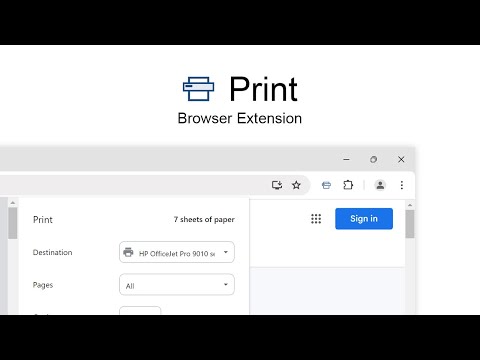
Print the current page with a single click. Quickly print website content, articles, photos, and more.
Print is a powerful and lightweight browser extension designed to make printing web pages, email content, photos, PDFs, and your original business cards as easy as a single click. With the customizable Print button in the toolbar, you can tailor your printing experience to your preferences. Whether you are using a desktop or touchscreen device, this extension ensures a seamless and quick print process. Install today and streamline your one-click printing for your browser. The Print friendly extension is ideal for students, teachers, professionals, business owners, and anyone who frequently prints documents. Whether you need to print study materials, business reports, invoices, or web articles, this extension makes it simple and convenient. Additionally, it is perfect for those who want to save paper by optimizing print color and reducing waste. The print button works with all major printer brands, including Brother, Canon, Epson, HP, Samsung, and Xerox. The Print browser extension is print friendly & PDF can be saved from the currently open tab. Browser extension features: ◆ Seamless Integration: Place a customizable print button directly in your web browser for quick and easy access. ◆ Fast Printing: Designed for speed, this lightweight browser extension ensures rapid printing of any web page. ◆ Customizable Icon Style: Choose from a variety of button designs, including Original, Human Feet, Animal Feet, and Google Material Design styles. ◆ Touchscreen Friendly: Optimized for both touchscreens and desktops, making it versatile and user-friendly. ◆ Multi-Functionality: Double-click the print icon to save files in MHTML, HTML, or PDF format, and choose to print in color or black and white. ◆ Compatibility: Fully functional on Windows, Mac, Linux, and Google Chromebooks. ◆ Define custom keyboard combinations to activate the print function ◆ Support for Dark Mode Project Information: https://www.stefanvd.net/project/print/browser-extension Required Permissions: ◆ "contextMenus": This is to add the "Print current page" menu item in the web browser context menu. ◆ "activeTab": Allow the print function to be accessible on the currently visible tab page. ◆ "storage": Save settings locally and sync with your web browser account. <<< Option feature >>> Unlock an option feature to protect your eyes at night and focus on the video player, such as YouTube™, by installing Turn Off the Lights browser extension for YouTube and Beyond. https://chromewebstore.google.com/detail/turn-off-the-lights/bfbmjmiodbnnpllbbbfblcplfjjepjdn
3,7/5626 ta baho
Tafsilotlar
- Versiya2.4.2
- Yangilandi11-dekabr, 2025
- Hajmi338KiB
- Tillar54 ta til
- DasturchiStefan vdVeb-sayt
github.com/turnoffthelights github.com/stefanvd Antwerp 2000 BEEmail
support@stefanvd.net - Sotuvchi emasBu dastur ishlab chiquvchi oʻz hisobida sotuvchi maqomini belgilamagan. Yevropa Ittifoqi mijozlaridan siz va ushbu dastur ishlab chiquvchi oʻrtasidagi bitimlarga isteʼmolchilar huquqlarini himoya qilish qonunlari tatbiq etilmasligi mumkinligiga eʼtibor qaratishlarini soʻraymiz.
Maxfiylik

Ushbu dastur ishlab chiquvchi maʼlumotlaringiz haqida quyidagilarni xabar qilgan:
- Ruxsat etilgan foydalanish holatlaridan tashqari uchinchi shaxslarga sotilmaydi
- Mahsulotning asosiy funksiyalariga aloqador boʻlmagan maqsadlarda ishlatilmaydi va uzatilmaydi
- Toʻlov qobiliyatini aniqlash yoki kreditlash maqsadlarida ishlatilmaydi va uzatilmaydi
Yordam
Mahsulotga oid muammolar, savol va takliflar haqida dastur ishlab chiquvchining sayti orqali xabar qilish mumkin.