
![Εικόνα λογότυπου του στοιχείου για Prime Video Speeder: adjust playback speed [QVI]](https://lh3.googleusercontent.com/2flsnhUjsdxz2V0x_pJAzZjhky-e7lxQ6Z0xt2gaoTHf90SYBdypnGpL8JJfW092Xn6fcH0L_BGqakGUqNcfCzpF=s60)
![Μέσο στοιχείου 2 (στιγμιότυπο οθόνης) για Prime Video Speeder: adjust playback speed [QVI]](data:image/gif;base64,R0lGODlhAQABAIAAAP///////yH5BAEKAAEALAAAAAABAAEAAAICTAEAOw==)
Επισκόπηση
Extension allows to adjust the playback speed on Prime Video according to preference
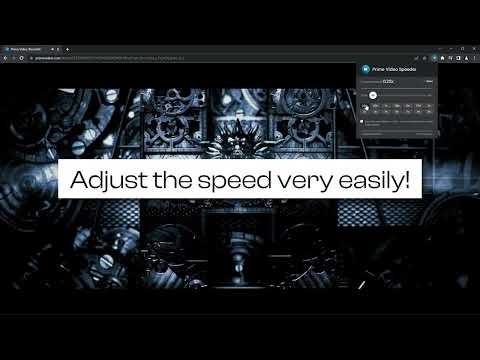
Get your skates on and be in control of the playback speed on Amazon Prime Video. This extension will allow you to either speed up or slow down shows and movies to enjoy watching your favorite content at your own pace. Didn't catch that fast-talking dialogue? Want to experience your favorite scenes in slow-motion? Or maybe you'd like to fast forward the less interesting part to enjoy the series finale? You're in the right place! Here's the solution for changing the video speed. All you need to do is to add the extension to your browser and run the control panel which enables you to choose from 0.25x up to 16x speed rates. You can also use hotkeys on your keyboard to control it. It is as simple as that! How to find Speeder's control panel: 1. After installation, click the small puzzle piece icon next to your Chrome profile avatar (top right corner of the browser window) 2. You'll see all your installed and enabled extensions. 3. You can pin Speeder to have it always on top in your browser. 4. Click the Speeder icon and try different speed settings. This extension is part of the Quality Viewership Initiative, a collaborative effort to enhance the understanding of audience engagement. It collects anonymous, aggregated viewing insights to support creators and studios in improving the quality of their content. You can stop sharing your information at any time by switching the toggle on the options page. Disclaimer : Prime Video is a trademark of Amazon.com, Inc.. This website & extension hold no association or affiliation with Amazon Prime Video or any third-party companies.
3,8 από 572 αξιολογήσεις
Μάθετε περισσότερα σχετικά με τα αποτελέσματα και τις αξιολογήσεις.
Λεπτομέρειες
- Έκδοση1.1.34
- Ενημέρωση20 Απριλίου 2026
- Προσφέρεται απόdogooodapp
- Μέγεθος86.22KiB
- Γλώσσες11 γλώσσες
- ΠρογραμματιστήςHideApp
1021 East Lincolnway Cheyenne, WY 82001 USΗλεκτρονικό ταχυδρομείο
dogooodapp@gmail.comΤηλέφωνο
+1 802-284-5301 - Επαγγελματίας έμποροςΑυτός ο προγραμματιστής έχει αυτοπροσδιοριστεί ως έμπορος σύμφωνα με τον ορισμό από την Ευρωπαϊκή Ένωση και έχει δεσμευτεί να προσφέρει μόνο προϊόντα ή υπηρεσίες που συμμορφώνονται με τους νόμους της ΕΕ.
- D-U-N-S132615120
Απόρρητο

Ο προγραμματιστής Prime Video Speeder: adjust playback speed [QVI] αποκάλυψε τις παρακάτω πληροφορίες σχετικά με τη συλλογή και τη χρήση των δεδομένων σας. Μπορείτε να βρείτε πιο αναλυτικές πληροφορίες στην privacy policy του προγραμματιστή.
Το στοιχείο Prime Video Speeder: adjust playback speed [QVI] χειρίζεται τα εξής:
Αυτός ο προγραμματιστής δηλώνει ότι τα δεδομένα σας
- Δεν πωλούνται σε τρίτα μέρη, με εξαίρεση τις εγκεκριμένες περιπτώσεις χρήσης
- Δεν χρησιμοποιούνται ούτε μεταφέρονται για σκοπούς που δεν σχετίζονται με τη βασική λειτουργία του στοιχείου.
- Δεν χρησιμοποιούνται ούτε μεταφέρονται για τον καθορισμό της πιστοληπτικής ικανότητας ή για λόγους δανειοδότησης.
Υποστήριξη
Για να λάβετε βοήθεια σχετικά με ερωτήσεις, προτάσεις ή προβλήματα που αντιμετωπίζετε, ανοίξτε αυτή τη σελίδα στο πρόγραμμα περιήγησης για υπολογιστή