
![Imagen del logotipo del elemento de Prime Party Extended [QVI]](https://lh3.googleusercontent.com/oEtAzxpUAxoGtruf41vFpoZhbA_E-NyQ8ylQqX0vD_yH2F4itYrOfM-H-tamVif-v4d6jAXLdTHLZ0_hVQVT9RLI2Q=s60)
Prime Party Extended [QVI]
39 calificaciones
)![Elemento multimedia 5 (captura de pantalla) de Prime Party Extended [QVI]](data:image/gif;base64,R0lGODlhAQABAIAAAP///////yH5BAEKAAEALAAAAAABAAEAAAICTAEAOw==)
Descripción general
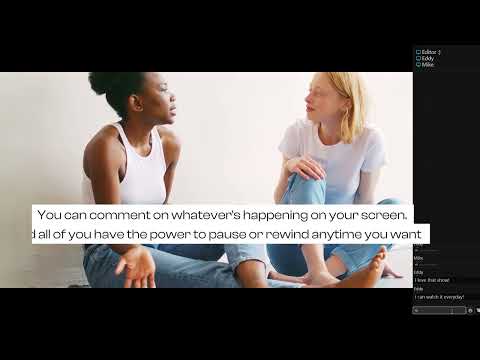
Watch Amazon Prime Video with friends! New features: skip intros, adjust playback, custom profile picture & many more.
Share your Prime Video viewing experience with a friend, your special someone, or whoever you want, no matter the distance! All you need is an Amazon Prime subscription, internet connection, and this extension. What's more, Prime Party Extended gives you a bunch of handy tools to customize the Prime Video player. Personalize your entertainment with: - 🆕Subtitles & captions personalization options - 🆕Custom profile picture options - Many video options (speed, zoom, rotation) - Picture in picture mode Discover all the features and watch your Prime favorites together with friends. How to use Prime Party Extended: 1. Add extension to Chrome. 2. Go to the Chrome extensions list (a small puzzle piece icon next to your Chrome avatar) or go to Chrome options ---> More Tools ---> Extensions. 3. Click Prime Party Extended icon to open the control panel. 4. Navigate through the options. 5. In order to start a new Prime Party session, provide your username and create a shareable link - everyone with the link, Prime Video subscription, and extension installed can join. 6. Pick a movie or series to watch. This extension is part of the Quality Viewership Initiative, a collaborative effort to enhance the understanding of audience engagement. It collects anonymous, aggregated viewing insights to support creators and studios in improving the quality of their content. You can stop sharing your information at any time by switching the toggle on the options page. Disclaimer: Prime Video is a trademark of Amazon.com, Inc. This website & extension hold no association or affiliation with Amazon Prime Video or any third-party companies.
3.6 de 539 calificaciones
Detalles
- Versión0.40
- Fecha de actualización9 de abril de 2026
- Ofrecido porToopExt
- Tamaño289KiB
- Idiomas6 idiomas
- DesarrolladorHideApp LLC
1021 East Lincolnway Cheyenne, WY 82001 USCorreo electrónico
toopext@gmail.comTeléfono
+1 913-278-5152 - ComercianteEste desarrollador se identificó como comerciante de acuerdo con la definición de la Unión Europea y se comprometió a ofrecer solo productos o servicios que cumplan con las leyes de la UE.
- D-U-N-S132615120
Privacidad

Prime Party Extended [QVI] divulgó la siguiente información sobre la recopilación y el uso de tus datos. En la privacy policy del desarrollador, encontrarás más información.
Prime Party Extended [QVI] controla lo siguiente:
Este desarrollador declara el siguiente tratamiento de tus datos:
- No se venden a terceros, excepto en los casos de uso aprobados
- No se utilizan ni transfieren para fines no relacionados con la funcionalidad principal del elemento
- No se utilizan ni transfieren para determinar tu solvencia ni ofrecer préstamos
Asistencia
Si tienes preguntas, sugerencias o problemas, abre esta página en tu navegador para computadoras