


Overview
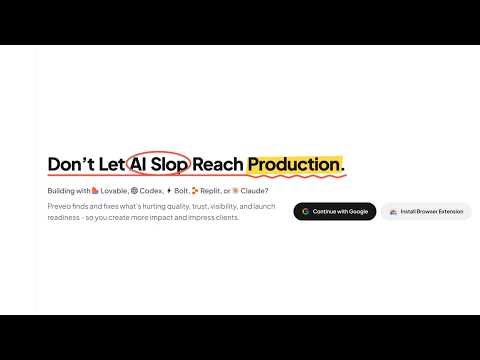
Evaluate, improve, and present AI-built websites. Run smart reviews for SEO, UX, performance, accessibility, and more.
AI build websites. Preveo evaluate them Preveo helps you find what needs attention, understand what to improve, and present stronger work to your team or clients. Run guided reviews, compare real browser experiences, and turn screenshots and browser data into visual reports with scores, findings, and actionable suggestions. EVALUATE YOUR WEBSITE • Find What Makes Your Website Look AI-Generated Identify generic layouts, weak typography, inconsistent spacing, and unclear visual hierarchy. See what a designer would fix first. • Review Design Skill Alignment Evaluate your website against guidance from Taste Skill, Frontend Design, Impeccable, Humanizer, and UI/UX Pro Max using dedicated macros. • Check SEO and AI Search Readiness Review on-page SEO and assess whether your content clearly explains your product, audience, capabilities, and value to search engines and AI assistants. • Test Mobile and Responsive Layouts Compare screen sizes and devices to spot overflow, unreadable text, awkward navigation, and content that breaks on smaller screens. • Compare Chromium, Safari/WebKit, and Firefox Run cross-browser checks to find differences in layouts, fonts, and visual appearance. • Review Light and Dark Mode Check text, logos, images, and charts across themes. Compare languages and right-to-left layouts to uncover presentation issues. • Inspect Performance and Errors Collect page performance data, Core Web Vitals, network failures, and console errors alongside visual evidence. • Check Readability and Accessibility Basics Review contrast, simulate color vision deficiencies, and record keyboard tab order to identify barriers. COMPARE, CAPTURE, AND EXPLAIN • Compare Before and After Review product changes, compare alternatives, and check how closely an implementation matches its design. • Capture Screenshots and Recordings Capture the current page or record the current tab with optional microphone audio and browser context. • Capture Public Pages from the Cloud Capture webpages on selected device types without changing your local browser setup. • Run Reusable Checks Use macros to turn captured evidence into focused evaluations. Save testing combinations and run multiple variants together. SHARE RESULTS AND SHOW PROGRESS • Present Findings Clearly Share visual reports, screenshots, comparisons, and suggested fixes to support team reviews and client approvals. • Give Visual Feedback Sketch ideas and explain changes on a shared canvas inside a Preveo thread. • Keep Reviews Organized Follow execution progress, revisit previous runs, and keep captures and findings together in threads and layers. From your first AI-generated page to your next client presentation, Preveo helps you spot issues, guide improvements, and show what changed. Explore Preveo: https://preveo.io
0 out of 5No ratings
Details
- Version3.0.6
- UpdatedOctober 19, 2026
- FeaturesOffers in-app purchases
- Size476KiB
- LanguagesEnglish
- DeveloperWebsite
Email
support@preveo.io - Non-traderThis developer has not identified itself as a trader. For consumers in the European Union, please note that consumer rights do not apply to contracts between you and this developer.
Privacy

Preveo - Evaluate & Improve AI-Built Websites has disclosed the following information regarding the collection and usage of your data. More detailed information can be found in the developer's privacy policy.
Preveo - Evaluate & Improve AI-Built Websites handles the following:
This developer declares that your data is
- Not being sold to third parties, outside of the approved use cases
- Not being used or transferred for purposes that are unrelated to the item's core functionality
- Not being used or transferred to determine creditworthiness or for lending purposes
Support
For help with questions, suggestions, or problems, visit the developer's support site