

Presentation Mode for Notion
8 個評分
)
總覽
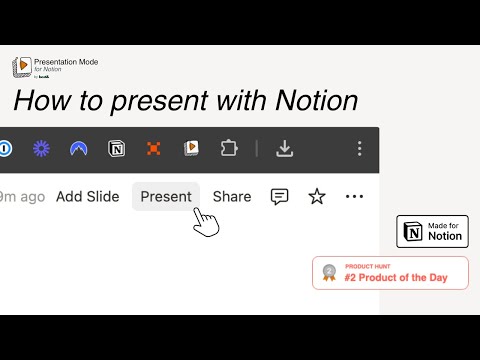
在 Notion 中建立簡潔的簡報投影片,無需離開工作區。邊簡報邊編輯。列印投影片以分享。
📢 Turn Your Notion Page into Presentation Slides and Present with Notion Transform your Notion pages into elegant, full-screen slides — instantly. Presentation Mode for Notion lets you present your ideas directly from Notion without exporting, switching tools, or breaking your workflow. It’s perfect for creators, educators, and teams who live inside Notion and focus on productivity. This is a must-have extension next to Notion Web Clipper and Notion Boost — bringing true Notion Presentation power right into your workspace. ⚙️ Features Presentation Mode for Notion turns your documents into structured, polished -Notion Slides in seconds: - Present directly from your Notion workspace — no public links required. - Hide Notion’s top bar for a clean, professional presentation view. - Automatically turn into slides — each /Heading 1 becomes a new Notion Slide, and /Divider adds a page break. You can decide to use Heading 2 and 3 as slide titles as well. - Toggle sliding effect on or off for complete control. - Enable fullscreen Notion Presentation Mode for a distraction-free experience. - Start with your preferred zoom level. - Edit your content live while presenting. - Export as PDF with proper page breaks, landscape or portrait format, optimized for Chrome’s PDF settings. - Customize header padding for a perfectly balanced look. 🚀 How It Works - Open any Notion page you own (logged-in mode required). - Refresh the page before your first use. - Use /Heading 1 to create a new slide title. - Optionally use Heading 2 and 3 as well. - Use /Divider to insert space or a page break. - Navigate slides with the → arrow key or your presentation remote. - Your Notion Slides are now ready — no extra setup, no exporting. Present your work the Notion way. 💰 Pricing 5,99€ per month billed monthly 3,99€ per month billed annually from 19,99€ per month for teams 🔗 Support & Templates Need help, feature requests, or Notion Presentation templates? 👉 Visit https://www.present-with-notion.com/ ❤️ Why 900+ Users Love It If you already use Notion Web Clipper to collect ideas or Notion Boost to enhance your workflow, Presentation Mode for Notion is the perfect addition — turning your pages into beautiful, interactive Notion Presentations in seconds.
4 分 (滿分 5 分)8 個評分
詳細資料
- 版本1.16
- 已更新2026年4月10日
- 功能提供應用程式內購商品
- 提供者bost&
- 大小126KiB
- 語言18 種語言
- 開發人員bost& UG (haftungsbeschränkt)
Jülicher Str. 72a Aachen 52070 DE電子郵件
info@bostand.com電話
+49 1512 9637824 - 交易商這位開發人員表明自己是交易商 (依歐盟的定義),並承諾只提供符合歐盟法律的產品或服務。
- 鄧白氏環球編碼342986548
隱私權

「Presentation Mode for Notion」已揭露下列關於收集及使用資料的資訊。 如需更多詳細資訊,請參閱開發人員的《privacy policy》。
Presentation Mode for Notion 會處理下列資料:
這位開發者就你的資料做出下列聲明:
- 除經核准的用途外,不會將你的資料販售給第三方
- 不會基於與商品核心功能無關的目的,使用或轉移資料
- 不會為了確認信用度或基於貸款目的,使用或轉移資料
支援
如有疑問或建議,請前往開發人員的支援網站