

Presentation Mode for Notion
8 ratings
)
Overview
Turn Notion pages into presentable slides. Slide, draw and edit live without leaving your workspace.
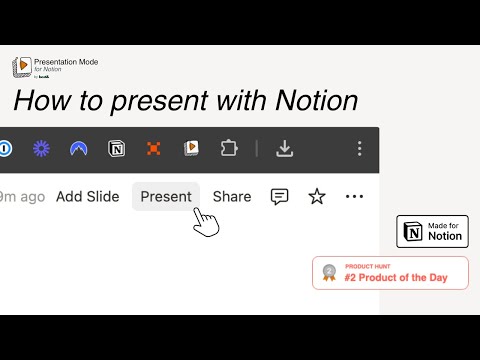
Full description: 📢 Turn Your Notion Page into Notion Slides — Present with Notion, Not Exporting Transform any Notion page into a polished Notion Presentation — full-screen Notion Slides you can deliver directly from your workspace. Presentation Mode for Notion is the all-in-one extension for creators, educators, consultants, and teams who live in Notion. Build slides, present live, annotate on a Notion Whiteboard, manage speaker notes, apply your brand, and export PDFs — without switching tools or breaking your workflow. The must-have companion next to Notion Web Clipper and Notion Boost — bringing true Notion Presentation power into your workspace. ⚙️ Features Presentation Mode — your Notion Slides engine Turn documents into structured, polished slides in seconds: Present directly from your Notion workspace — no public links required Hide Notion’s top bar for a clean, professional presentation view Auto-slide structure: each /Heading 1 becomes a new slide; /Divider adds a page break Use Heading 2 and Heading 3 as slide titles too Toggle sliding effect on or off Fullscreen Notion Presentation mode for a distraction-free experience Set your preferred zoom level and header padding Navigate with → arrow keys or your presentation remote Whiteboard Mode — your live Notion Whiteboard while presenting Annotate and interact on slides without leaving presentation: ⌘E / Ctrl+E — Edit Mode: Fix typos, update numbers, or add blocks live ⌘P / Ctrl+P — Pointer Mode: Draw and highlight directly on slides (strokes fade automatically) ⌘J / Ctrl+J — Jot Mode: Place floating text annotations anywhere on a slide Undo with ⌘Z / Ctrl+Z, clear all with ⌘D / Ctrl+D — press the same shortcut or ESC to exit any mode Presenter View — everything you need at the podium Open a side panel or separate window with: Current slide preview and upcoming slides Speaker notes (add a Notion toggle titled “Presentation Notes” under each slide header — visible to you, hidden from the audience) Timers, audience reactions, and slide controls Arrow keys in Presenter View navigate slides — no need to click back on the page Animated Reactions - Notion-style illustrations as animated reactions Use ⌘1–⌘9 or choose from Presenter View Brand Kit — polished Notion Presentations every time Look professional in client pitches, lectures, and team meetings: Add your logo, heading colors, slide number, and footer to every slide Customize header and footer colors Show the date, presenter name, and slide number Create multiple brand kits for different audiences or events PDF Export — share your Notion Slides offline Export slides as a PDF from Tools & Resources in the extension menu: Portrait or landscape, one page per slide Proper page breaks, optimized for Chrome’s PDF settings Share handouts with clients, colleagues, or students — even if they don’t use Notion 🚀 How It Works Open any Notion page you own (logged-in mode required) Refresh the page before your first use Use /Heading 1 for slide titles — optionally Heading 2 and 3 as well Use /Divider for space or a page break between slides Click Present on your Notion page — or open Presenter View for notes and controls Navigate slides with arrow keys or your presentation remote Use Whiteboard Mode shortcuts to draw, jot, or edit live while presenting Apply your Brand Kit and export as PDF when you’re ready to share Your Notion Slides are ready — no extra setup, no exporting. Present your work the Notion way. 💰 Pricing Free plan: Heading 1 slides, fullscreen, and core Presentation Mode (includes watermark) Pro: No watermark + Whiteboard Mode, Presenter View, Brand Kit, PDF Export, and more 5,99€ per month 29,99€ per year 49,99€ once for lifetime 🔗 Support & Templates Need help, feature requests, or Notion Presentation templates? 👉 Visit https://www.present-with-notion.com/ ❤️ Why 1000+ Users Love It If you already use Notion Web Clipper to collect ideas or Notion Boost to enhance your workflow, Presentation Mode for Notion is the perfect addition — turning your pages into beautiful, interactive Notion Presentations with Notion Slides, a live Notion Whiteboard, speaker notes, branding, and PDF export — all in one extension.
4.5 out of 58 ratings
Details
- Version1.22
- UpdatedOctober 7, 2026
- FeaturesOffers in-app purchases
- Offered bybost&
- Size74.06MiB
- Languages18 languages
- Developerbost& UG (haftungsbeschränkt)
Jülicher Str. 72a Aachen 52070 DEEmail
info@bostand.comPhone
+49 1512 9637824 - TraderThis developer has identified itself as a trader per the definition from the European Union and committed to only offer products or services that comply with EU laws.
- D-U-N-S342986548
Privacy

Presentation Mode for Notion has disclosed the following information regarding the collection and usage of your data. More detailed information can be found in the developer's privacy policy.
Presentation Mode for Notion handles the following:
This developer declares that your data is
- Not being sold to third parties, outside of the approved use cases
- Not being used or transferred for purposes that are unrelated to the item's core functionality
- Not being used or transferred to determine creditworthiness or for lending purposes
Support
For help with questions, suggestions, or problems, visit the developer's support site