

Presentation editor PPTWork for PPT slides

總覽
Create and edit PPT presentations with an editor online that supports Microsoft Powerpoint and LibreOffice ODP formats
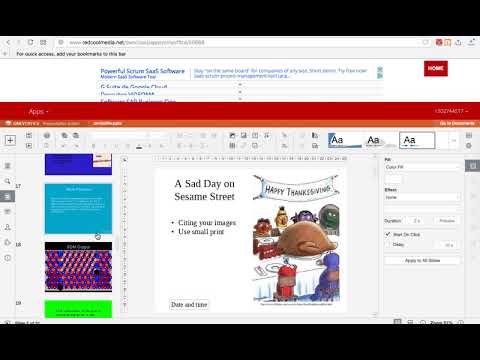
PPTWork is a Presentation editor where you can perform various editing operations like in any desktop editor, print the edited presentations keeping all the formatting details or download them onto your computer hard disk drive as PDF or PPTX files. Moreover, it scans and collects the webpages you browse in the Internet. These webpages are uploaded to our servers in order to know if they contain PPT or PPTX files that can be edited using our extension integrated with our online app. Main Features File formats supported: - PPTX, Office Open XML Presentation Zipped, XML-based file format developed by Microsoft for representing spreadsheets, charts, presentations, and word processing documents - PPT, File format used by Microsoft PowerPoint - ODP, OpenDocument Presentation File format that represents presentation document created by Impress application, which is a part of OpenOffice based office suites Basic operations - Create a new presentation or open an existing one - Copy/paste data, undo/redo your actions Manage slides - Set slide parameters - Apply transitions - Preview your presentation Text formatting - Insert and format your text - Add hyperlinks - Copy/clear formatting Operations on objects - Insert and format autoshapes - Insert and adjust images - Insert and edit charts - Insert and format tables - Fill objects and select colors - Manipulate objects on a slide - Align and arrange objects on a slide Tools and settings - View presentation information - Save/print/download your presentation - Search function
4.1 分 (滿分 5 分)28 個評分
詳細資料
隱私權
「Presentation editor PPTWork for PPT slides」已揭露下列關於收集及使用資料的資訊。 如需更多詳細資訊,請參閱開發人員的《privacy policy》。
Presentation editor PPTWork for PPT slides 會處理下列資料:
這位開發者就你的資料做出下列聲明:
- 除經核准的用途外,不會將你的資料販售給第三方
- 不會基於與商品核心功能無關的目的,使用或轉移資料
- 不會為了確認信用度或基於貸款目的,使用或轉移資料
支援
如有疑問或建議,請使用電腦版瀏覽器開啟這個頁面